Duplicate Remover
Master your data organization with the ultimate Online Duplicate Remover on Calcflow.net. Our professional-grade tool helps you remove duplicate lines instantly, providing advanced list cleaner online features and surgical extraction utilities for SEO and marketing datasets.
Extracted Data
Lines
0
Unique
0
Removed
0
Dupe %
0%
Chars
0
Duplicate Engine
Extraction (Popup)
Advanced Sorting
Prefix & Suffix
Find & Replace
Table of Contents
Toggle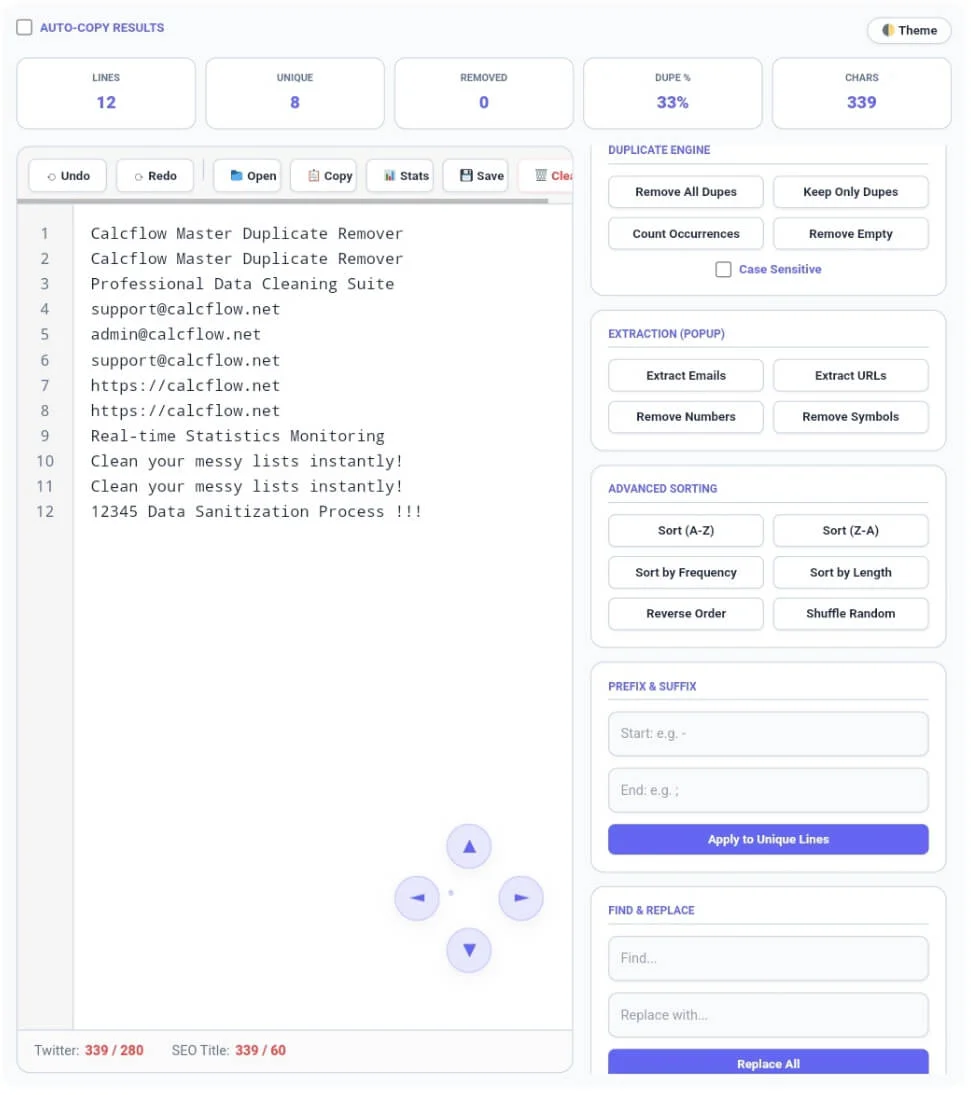
Why our Online Duplicate Remover is Essential
In the diverse world of digital content, redundancy is a silent productivity killer. Whether you are a marketer cleaning an email list, a developer testing array manipulation, or an SEO expert organizing keyword sets, a standard editor isn’t enough. Our Duplicate Remover is a full-scale text utility engine designed to give you total control over the uniqueness and orientation of your data. Unlike basic online tools, this version provides a professional experience with high-speed processing and a clean, ad-free interface.
At Calcflow.net, we believe that utility should be coupled with deep analysis. That is why our Duplicate Remover doesn’t just delete lines; it analyzes them. Every action you take is reflected in our real-time statistics grid, helping you keep track of your content’s structure. With its modern UI and specialized sidebar, this tool is the perfect professional bridge between a simple list cleaner and a professional text analysis suite.
Tip: For detailed word-level analysis, try our specialized [Word Counter] tool.
How to Remove Duplicate Lines Online (Step-by-Step)
Our tool is designed for ease of use without compromising on power. To get the most out of the Duplicate Remover, follow these simple steps:
Step 1: Input and Real-Time Feedback
Start by typing directly into the editor or pasting your content. You can also use the “Open” folder icon in the toolbar to upload local files like .txt, .js, .html, or .csv. As you enter text, the stats grid at the top will instantly display your Lines, Unique, Removed, Dupe %, and Chars. Monitoring these metrics is crucial for identifying the level of redundancy within your files before you start the cleaning process.

Tip: To check the length of your cleaned text, use our [Character Counter] utility.
Step 2: Instant Pruning with the Duplicate Engine
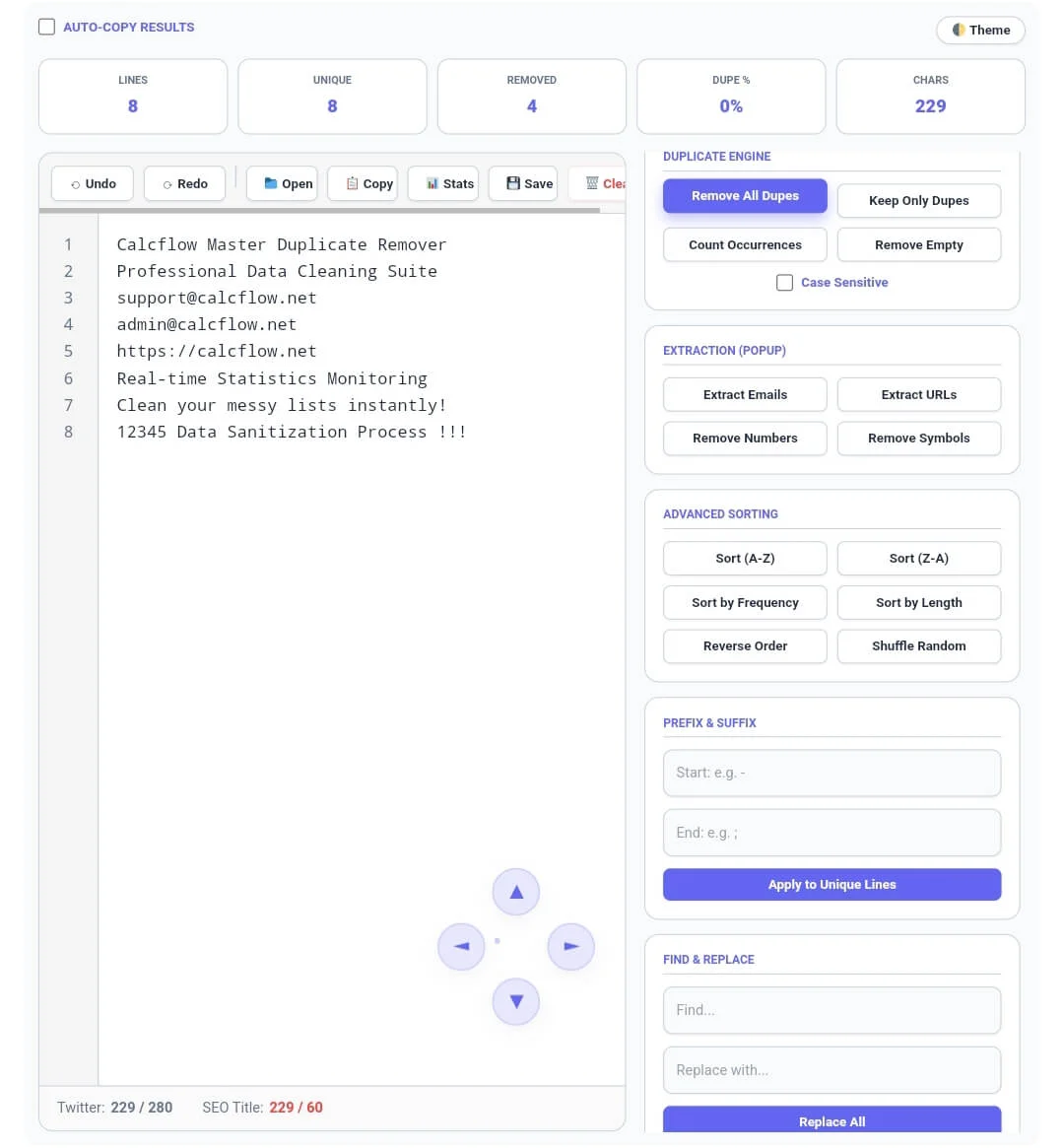
Once your data is analyzed, use the Duplicate Engine in the sidebar. Clicking “Remove All Dupes” instantly prunes your list, leaving only unique entries. You can also use “Keep Only Dupes” to find commonalities or “Count Occurrences” to see how often each item repeats. For case-sensitive data, simply check the “Case Sensitive” box to ensure “Apple” and “apple” are treated as distinct items
Tip: If you need to organize reversed lists, try our specialized [Line Counter] tool.
Step 3: Advanced Extraction and Navigating the Editor
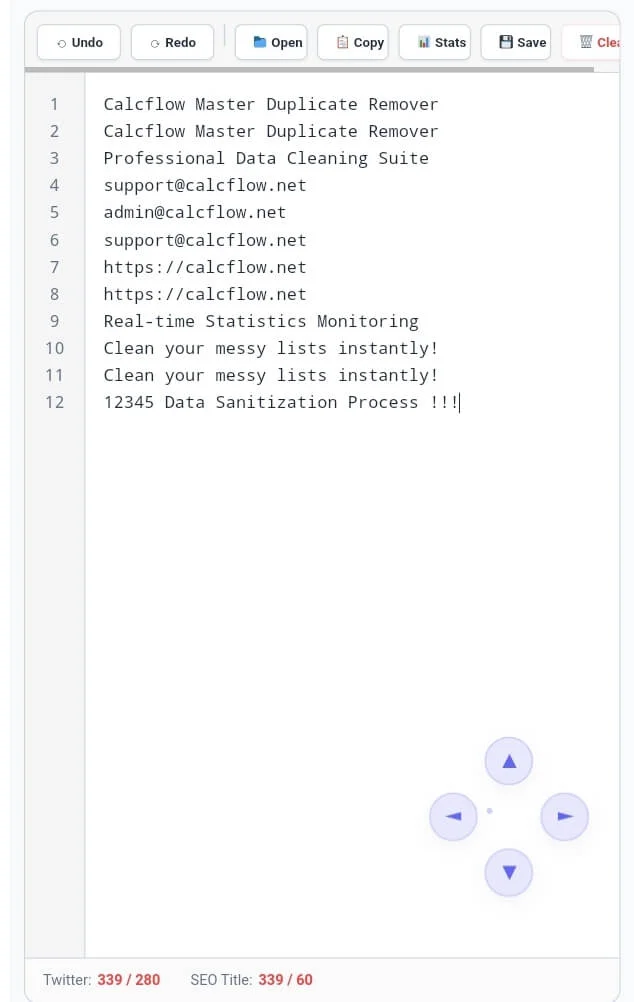
Note for Desktop/Laptop Users: To provide a professional and clutter-free experience, our toolbar and sidebar are designed with click-and-drag scrolling. If any buttons (like the ‘Clear’ button) or conversion tools are not fully visible, simply grab the area with your mouse and drag left, right, or down to reveal all features. The Extraction (Popup) module allows you to pull Emails or URLs into a clean, separate modal window. Our editor also features Line Numbers and Undo/Redo buttons for precision.
For desktop users, the 4-way glass scroll buttons (D-pad) at the bottom right offer a fluid navigation experience through massive datasets. Please note: The 4-way scroll is an exclusive feature for desktop users to maximize screen space on mobile devices. Our tool also acts as a powerful utility to extract emails from text, making it an all-in-one solution for data cleaning.
Tip: To structure your document perfectly, use our [Paragraph Counter] for balance.
Professional Comparison: Standard Tool vs. Calcflow Duplicate Remover
Most online tools only offer a single “Remove” button. Our Duplicate Remover provides a full suite of options for professional-grade output. See how we compare below:
| Feature | Standard Online Tool | Calcflow Duplicate Remover |
| Real-time Stats Grid | ❌ No | ✅ Yes |
| Email & URL Extraction | ❌ No | ✅ Yes (Modal) |
| Undo/Redo Support | ❌ No | ✅ Yes |
| Line Numbering System | ❌ No | ✅ Yes |
| Frequency & Length Sort | ❌ No | ✅ Yes |
| Find & Replace Tool | ❌ No | ✅ Yes |
| 4-Way Glass Scroll | ❌ No | ✅ Yes (Desktop) |
| Prefix & Suffix Module | ❌ No | ✅ Yes |
Benefits for Designers, Developers, and SEO Experts
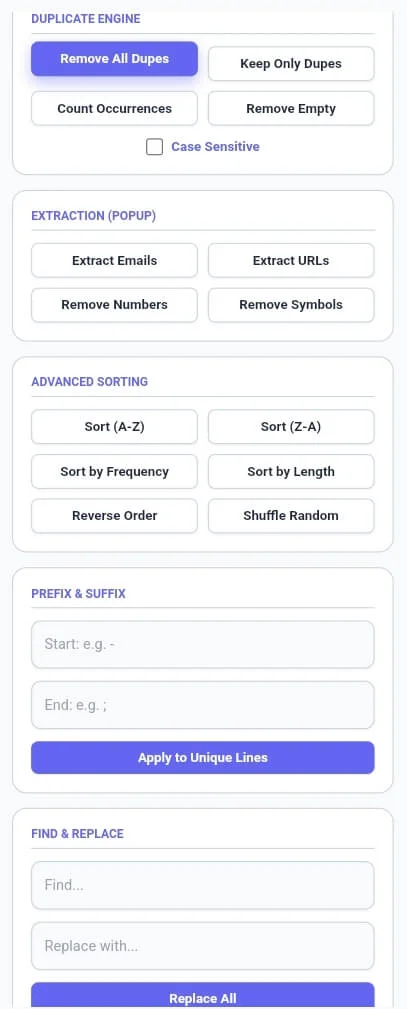
The Duplicate Remover on Calcflow is more than a novelty; it is a productivity tool. For developers, cleaning up duplicate log entries or formatting SQL arrays with the Prefix & Suffix module is a common task. For SEO experts, removing duplicate keywords prevents keyword cannibalization. By utilizing the “Remove Numbers” or “Remove Symbols” buttons, you can sanitize raw data in seconds. A reliable tool is a secret weapon in any digital professional’s toolkit. You can also use this tool to extract emails from text or clean up long lists of URLs effortlessly.
Tip: To change the case of your text before cleaning, use our [Text Case Converter] for instant resul
The Technical Logic of our List Cleaner Online
Data deduplication is the logical process of eliminating redundant copies of data. Our engine ensures that the logical order of your text is preserved while stripping away redundancies without corrupting character encoding. This level of technical control is why professionals choose Calcflow for their data management needs. To learn more about how enterprise systems handle large-scale data, you can refer to the Microsoft guide on Data Deduplication.
Tip: For unique artistic layout designs, try our professional [Text Reverser] engine.
Frequently Asked Questions (FAQs)
1. How does the "Case Sensitive" toggle affect results?
When enabled, the tool differentiates between uppercase and lowercase letters. For example, “Data” and “data” will be kept as unique entries. If disabled, one will be removed as a duplicate.
2. Why can't I see the D-pad scroll buttons on my mobile phone?
The 4-way glass scroll buttons are optimized specifically for desktop users to provide smooth mouse-based navigation. On mobile devices, touch gestures are more efficient for scrolling.
3. What is the benefit of the Extraction Modal?
The Extraction (Popup) isolates only Emails or URLs from a cluttered document, allowing you to copy or save specific data points as a clean .txt file instantly.
4. Is my data secure on Calcflow.net?
Absolutely. All processing happens locally in your browser via JavaScript. Your data never leaves your computer, ensuring 100% privacy and security for your sensitive documents.
5. Can I add custom prefixes to my unique list?
Yes! Use the Prefix & Suffix module in the sidebar to add any text (like bullets, dashes, or code) to the start or end of every unique line with one click.
6. Does this tool support Dark Mode?
Yes, click the “Theme” button in the top right corner to switch between light and dark modes. This helps reduce eye strain during long data-cleaning or coding sessions.
Tip: For secure communication, try converting your cleaned text to [Text to Morse Code] instantly.
Conclusion: Precision Data Cleaning with Calcflow
Choosing the right duplicate remover is the first step toward organized data management. The Duplicate Remover on Calcflow.net stands as the most comprehensive data manipulation tool available online. By combining real-time metrics with advanced extraction and formatting options, we have built a platform that caters to both creative and technical minds. Stop struggling with manual editing and let our professional tool handle the complexity for you.