Format Converter
Master your visual assets with our Online Image Format Converter. Experience seamless processing with the #1 Best format converter on Calcflow.net. Whether you need a JPG to WebP converter or a batch image converter online, our professional-grade engine allows you to convert image format online with 100% precision and quality control.
Drop Images Here
or click to browse
No images added yet
Drop images or click Add🎯 Output Format
⚙️ Quality
📐 Resize
📊 Stats
Table of Contents
Toggle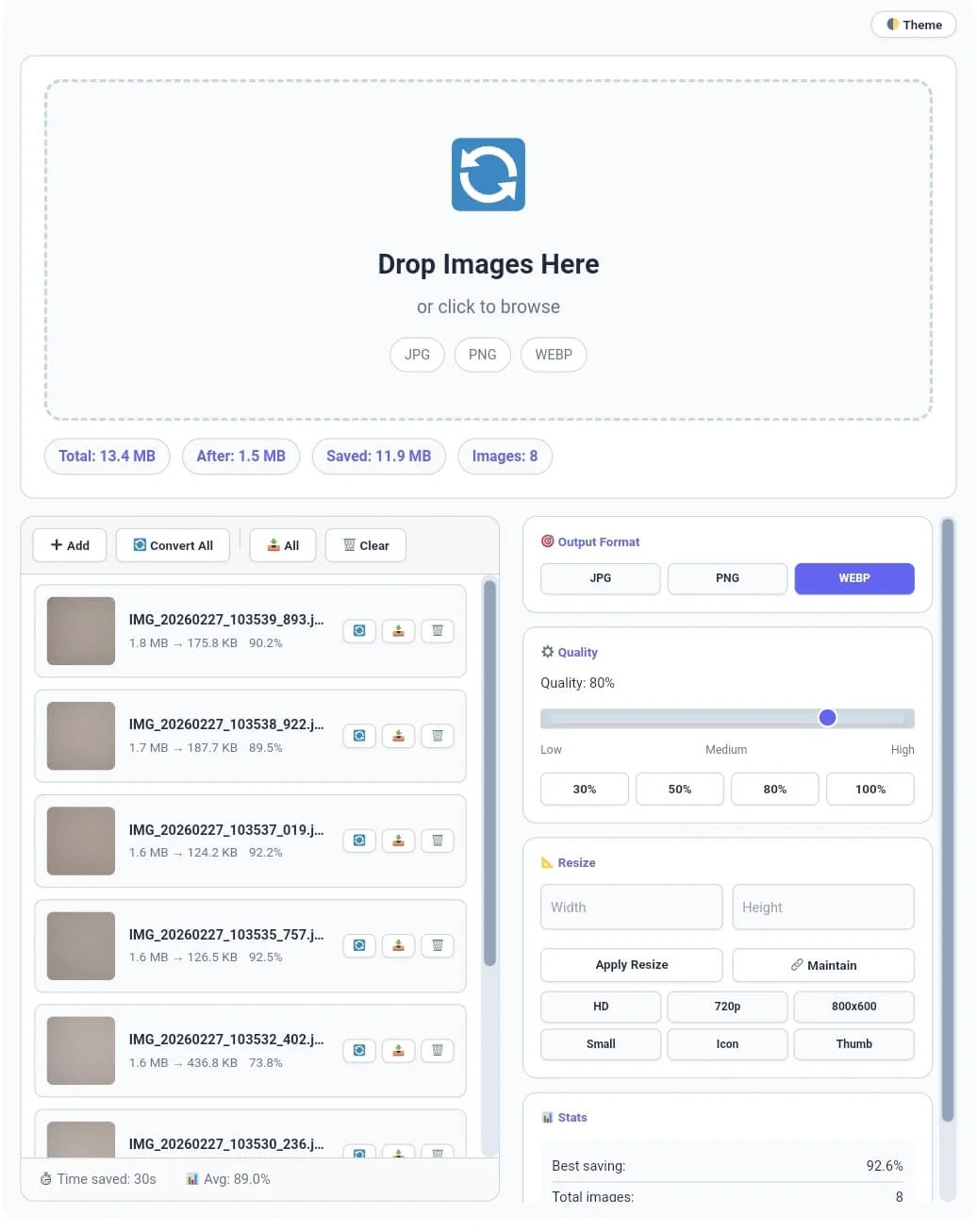
Why our Online Image Format Converter is Essential
In the fast-moving digital world, having the right image extension is the difference between a slow site and a fast one. Bulky files consume server resources and frustrate visitors. Our format converter is a full-scale media utility engine designed to give you total control over your digital assets. Unlike standard tools, this format converter works entirely in your browser using local JavaScript, providing a professional experience with high-speed local processing and 100% data privacy.
At Calcflow.net, we prioritize data transparency and technical depth. That is why our format converter doesn’t just change extensions; it provides a comprehensive audit of your file structure. Every action you take is reflected in our statistics grid, helping you track original sizes and final optimized output. With its modern UI and specialized sidebar, this tool is the perfect professional bridge between a simple converter and an enterprise-level media suite.
Tip: To monitor your body metrics while working on digital assets, use our [BMI Calculator] for accurate results.
How to Convert Image Format Online (Step-by-Step)
Our tool is designed for maximum efficiency without compromising on power. To get the most out of your format converter session, follow these simple steps:
Step 1: Bulk Upload and Real-Time Feedback
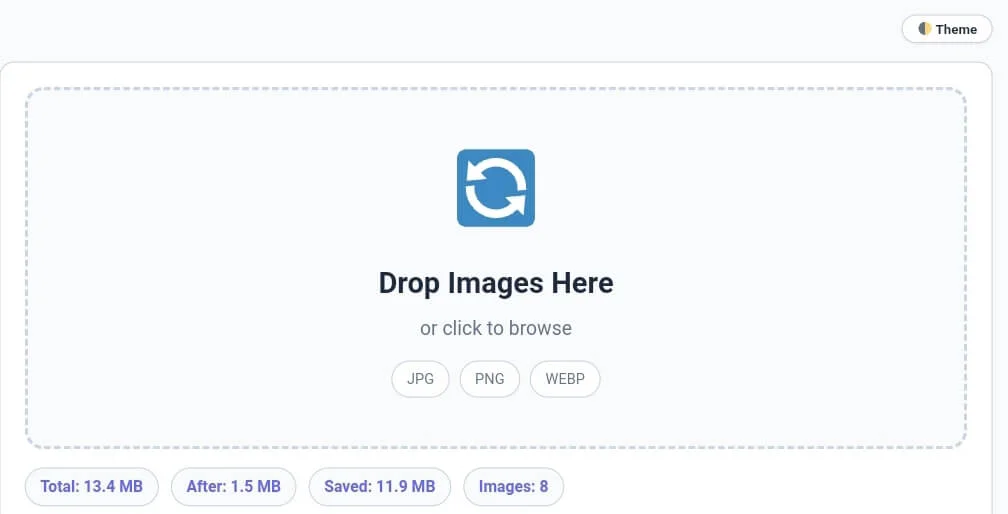
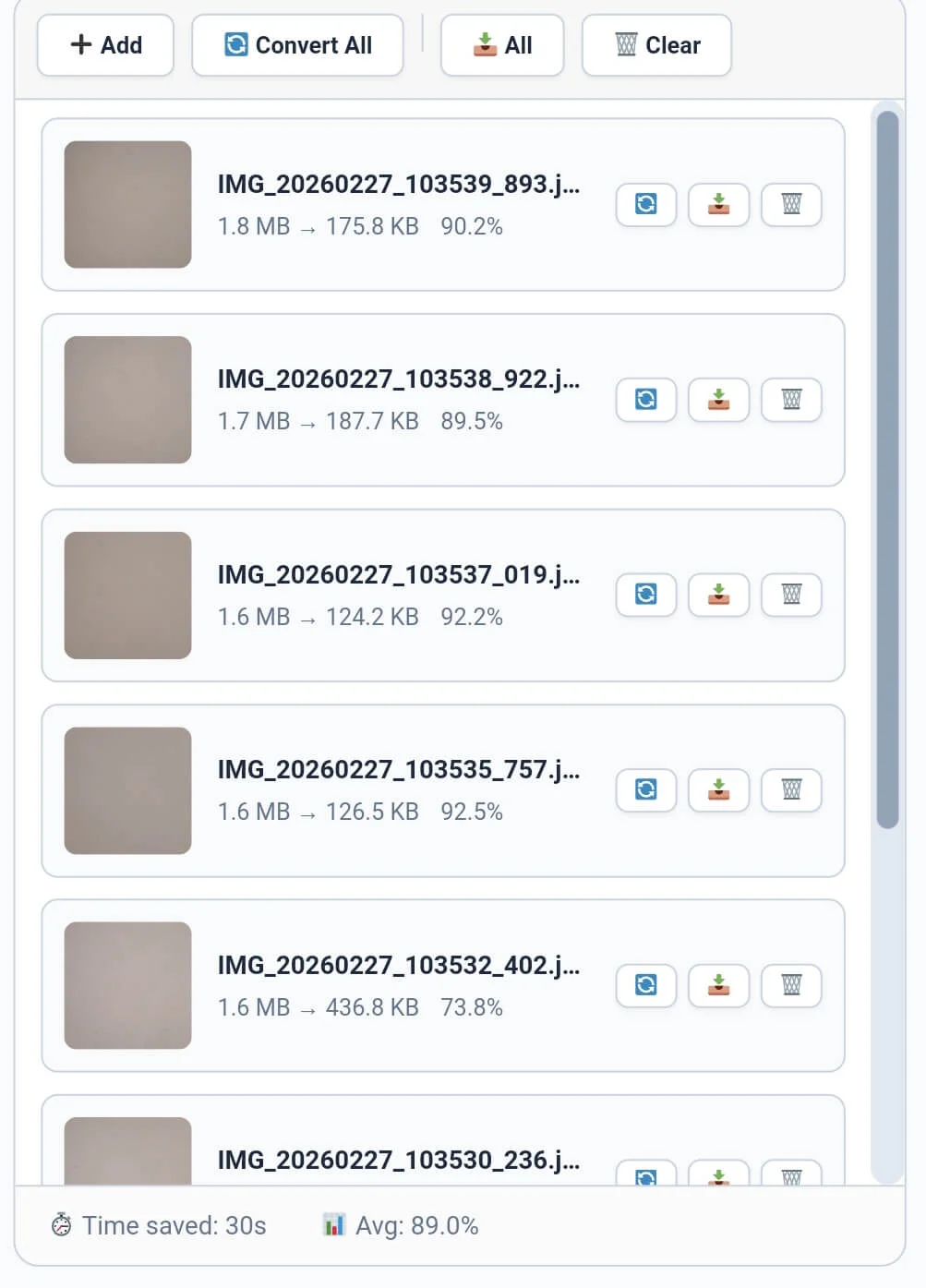
Start by dragging your files into the drop zone or clicking the “➕ Add” button. Our format converter supports multiple file uploads, allowing you to process large batches at once. As soon as you add images, the stats bar instantly displays the Total Size, Saved MB, and Images Count. Monitoring these metrics is crucial for identifying the efficiency of your format converter batch before finalizing the conversion.
Tip: If you need to remove duplicate entries from your image filenames, try our professional [Duplicate Remover].
Tip: To check the exact character count for image alt tags, use our [Character Counter] utility.
Step 2: Selecting Output Format and Quality
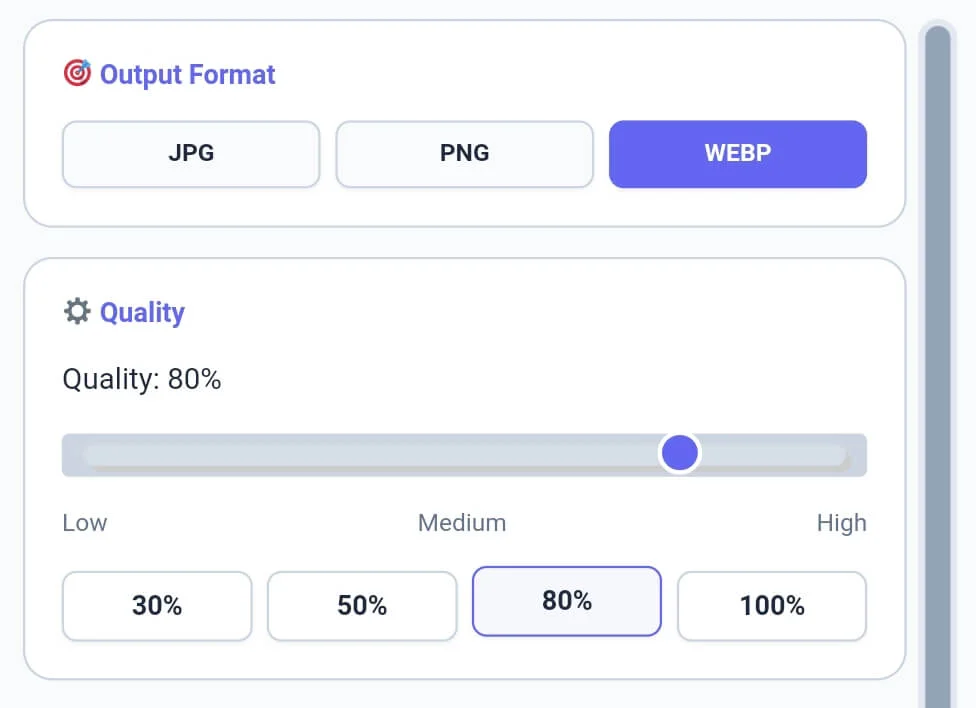
Once your images are in the queue, use the sidebar to select your target Output Format. Our format converter allows you to switch between WEBP, JPG, and PNG with a single click. You can also adjust the Quality Slider (0-100%) or use quick presets like 30%, 50%, or 80%. This level of control ensures your format converter output meets the strict requirements of modern SEO and page speed optimization.
Tip: For detailed word-level analysis of your technical documentation, try our specialized [Word Counter] tool.
Step 3: Custom Resizing and Navigation
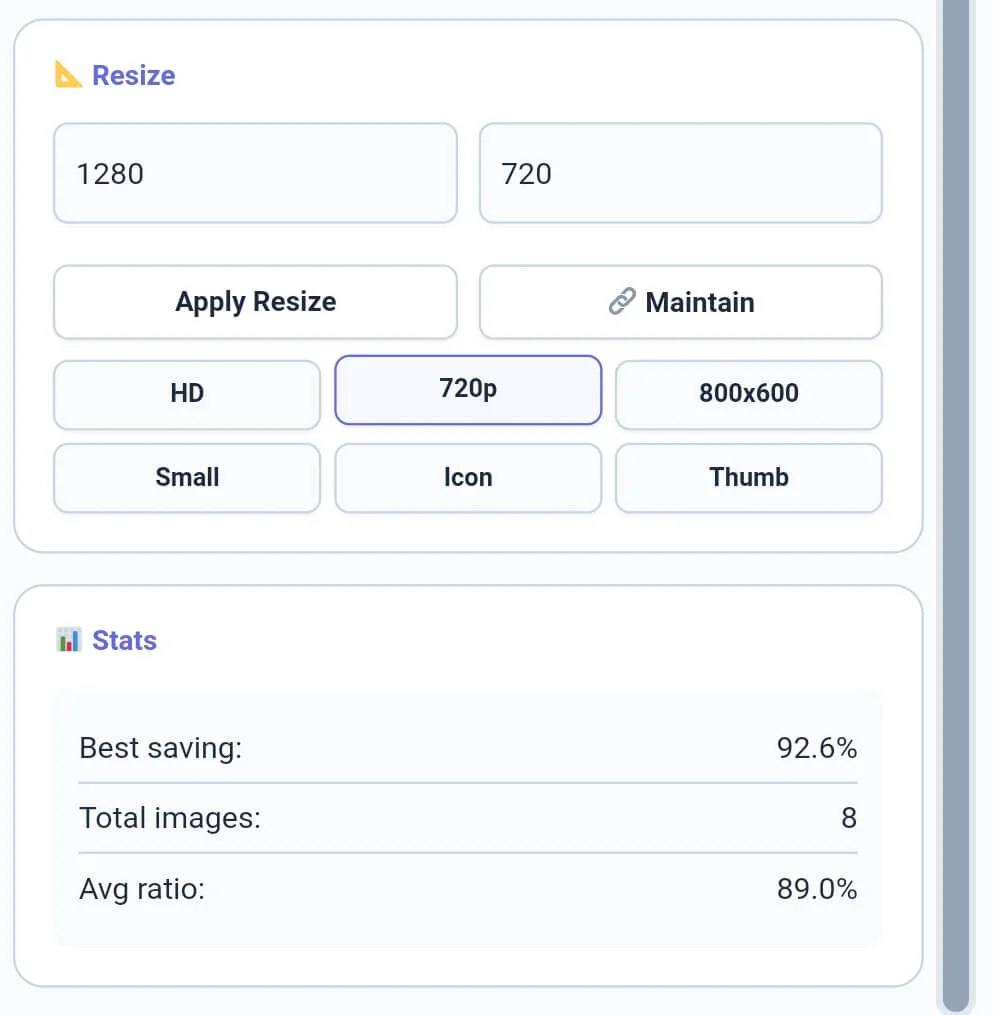
The Resize module allows you to change the dimensions of your assets. Choose from presets like HD, 720p, or Icon, or enter custom width and height values. Our format converter includes a “Maintain Aspect” feature to ensure your images never look distorted. For desktop users, our tool features 16px desktop-style scrollbars for smooth navigation through long batches. This technical depth makes managing your format converter projects much more professional.
Tip: If you need to organize your image credits or metadata line by line, try our specialized [Line Counter] tool.
Step 4: Batch Processing and Downloading Results
The final phase involves exporting your work. You can perform a single conversion by clicking the refresh icon on an individual item or click “🔄 Convert All” for bulk transformation. Similarly, our format converter supports individual downloads and bulk “📥 All” downloads. The real-time progress bar will show you exactly how many files have been processed. Once finished, you can use the “Clear” button to reset the tool.
Tip: To structure your documentation paragraphs perfectly, use our [Paragraph Counter] for balance.
Professional Comparison: Standard Tool vs. Calcflow
Most online converters limit your file count or use slow server-side processing. Our format converter provides a full suite of professional modules for high-speed, 100% private data handling.
Batch Action Support: “Convert All” and “Download All” features for high volume.
Modern WebP Support: One-click optimization to the most modern image format.
Zero Server Uploads: All processing happens locally for maximum privacy.
Navigation Tools: Horizontal toolbar scrolling and custom 16px scrollbars.
Precision Resizing: Pre-defined presets for HD, Small, Icon, and Thumb.
| Feature | Standard Online Tool | Calcflow Format Pro |
| Batch WebP Conversion | ❌ No | ✅ Yes |
| HD Resizing Presets | ❌ No | ✅ Yes |
| Single & Bulk Export | ❌ No | ✅ Yes |
| Real-time Savings Bar | ❌ No | ✅ Yes |
| Aspect Ratio Locking | ❌ No | ✅ Yes |
| No Server Upload (Private) | ❌ No | ✅ Yes |
| 16px Desktop Scrollbars | ❌ No | ✅ Yes |
Tip: To change the case of your image filenames instantly, use our [Text Case Converter] for instant results.
Benefits for Developers, Designers, and SEO Experts
The format converter on Calcflow is more than a converter; it is a productivity asset. For developers, preparing PNG transparent assets or WebP optimized icons for a project is a daily necessity. For photographers, batch converting raw image outputs into high-quality JPGs for clients is essential. Even SEO experts use our format converter to shrink images and improve Core Web Vitals. By utilizing the specialized sidebar modules, you can sanitize and organize your visual data in seconds.
Tip: For unique artistic layout designs or mirrored text in your journals, try our professional [Text Reverser] engine.
The Logic Behind our Batch Image Converter Online
Image format conversion is a technical process that involves translating complex pixel arrays into streamlined data structures. Our format converter leverages high-speed browser-based processing to ensure that the logical structure of your visual data is preserved while shifting between modern compression algorithms. This surgical level of control is what makes Calcflow a trusted choice for developers and SEO specialists worldwide. For a deep dive into how modern images are optimized for the web and why specific formats matter, refer to the official Google web.dev guide on image fundamentals.
Tip: For secure communication or distress signals in your metadata, try our specialized [Text to Morse Code] tool.
Frequently Asked Questions (FAQs)
1. How does the Format Converter maintain quality?
Our format converter uses high-precision canvas rendering. By setting the quality slider to 80% or higher, the tool maintains visual clarity while significantly reducing the digital weight of the file.
2. What is the benefit of "Convert All"?
The “Convert All” feature in our format converter allows you to apply your chosen format and quality settings to every image in your queue with a single click, saving you hours of manual work.
3. Why is the D-pad disabled on mobile?
While our text tools use a D-pad, the format converter is optimized for direct touch interactions on mobile. We maximize the screen space so you can easily manage your image queue with standard gestures.
4. Is my private image data secure?
Absolutely. All processing in our format converter happens locally in your browser using JavaScript. We never store or upload your private photos to our servers, ensuring 100% privacy.
5. Can I resize and convert at the same time?
Yes! This format converter allows you to set your target dimensions in the Resize module and select your output format simultaneously. Both actions are applied when you convert the image.
6. Does this tool support Dark Mode?
Yes, click the “Theme” button in the top right corner. This reduces eye strain while you manage large batches of photos or technical assets in our professional format converter.
Tip: For advanced data handling, you can convert your technical tags into binary with our [Text to Binary] tool or decode them using [Binary to Text] instantly.
Conclusion: The Professional Choice for Visual Transformation
The format converter on Calcflow.net stands as the most comprehensive media manipulation tool available online. By combining real-time metrics with advanced resizing and conversion options, we have built a platform that caters to both creative and technical minds. Stop struggling with slow cloud converters and let our professional tool handle the heavy lifting for you. Our JPG to WebP converter is the fastest way to modernize your website’s media. Bookmark this online image format converter for all your professional projects.