Image Compressor
Optimize your digital assets with our Online Image Compressor. Get the best results with the #1 Best image compressor on Calcflow.net. Our professional-grade engine allows you to compress image online, resize, and convert formats with 100% precision while keeping files under specific limits like 20kb to 100kb.
Drop Images Here
or click to browse
⚙️ Compression Settings
No images added yet
Drop images or click Add🎯 Format
📐 Resize
📊 Stats
Table of Contents
Toggle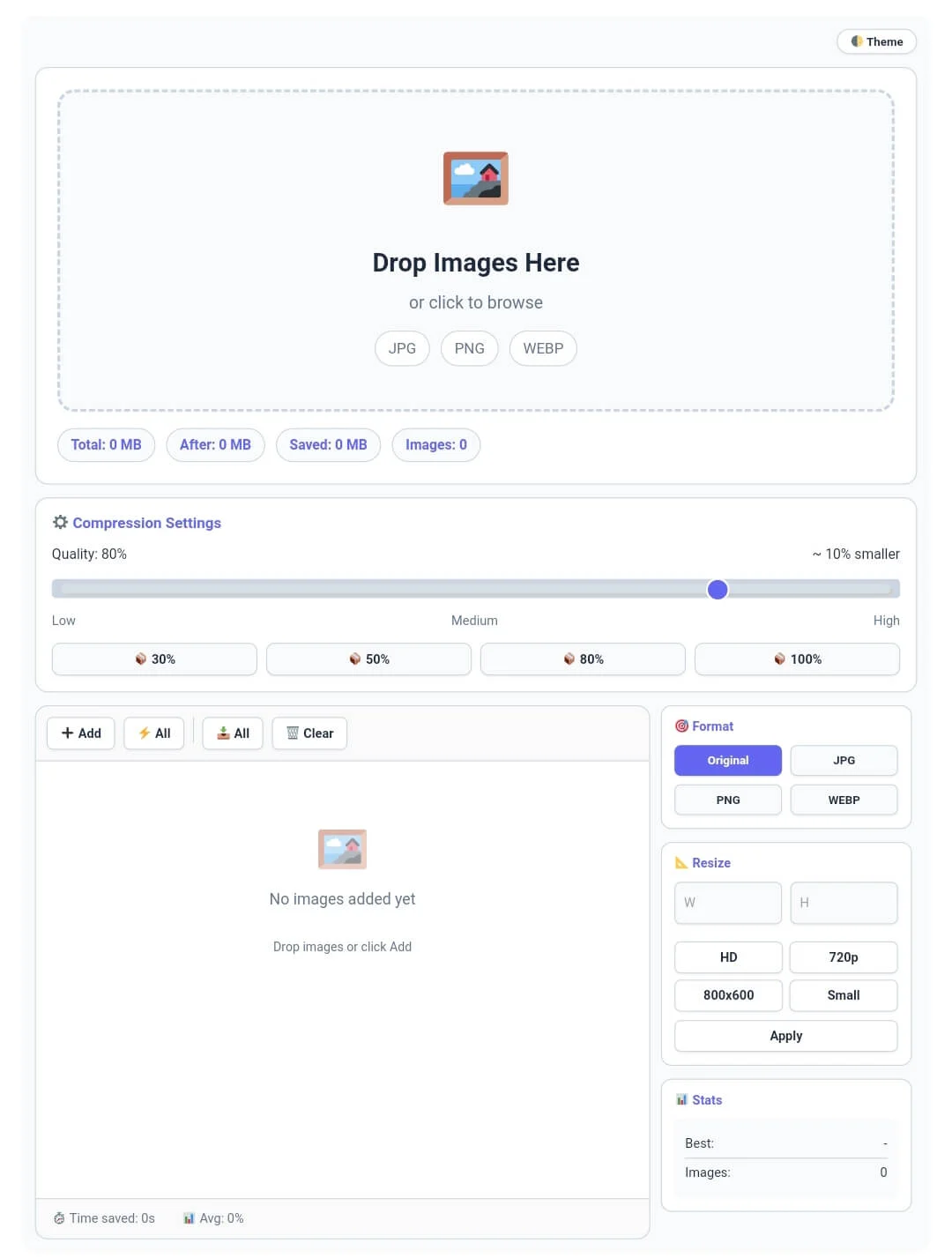
Why our Online Image Compressor is Essential for SEO Speed
In the modern web ecosystem, page speed is the most critical factor for SEO and user retention. Bulky images are the primary cause of slow-loading websites, which can hurt your rankings and increase bounce rates. Our image compressor is a full-scale media utility engine designed to give you total control over your visual content. Unlike basic online tools that upload your data to a server, this image compressor works entirely in your browser, providing a professional experience with high-speed local processing and total privacy.
At Calcflow.net, we believe that optimization should be seamless and transparent. That is why our image compressor doesn’t just shrink files; it provides a comprehensive audit of your savings. Every action you take is reflected in our real-time statistics grid, helping you track original sizes, compressed results, and time saved. With its modern UI and specialized sidebar, this tool is the perfect professional bridge between a simple converter and an enterprise-level image optimization suite.
Tip: To monitor your physical health during long work sessions, use our [BMI Calculator] for accurate results.
How to Compress Image Online (Step-by-Step Guide)
Our tool is designed for ease of use without compromising on technical power. To get the most out of your image compressor session, follow these simple steps:
Step 1: Bulk Image Upload and Analysis
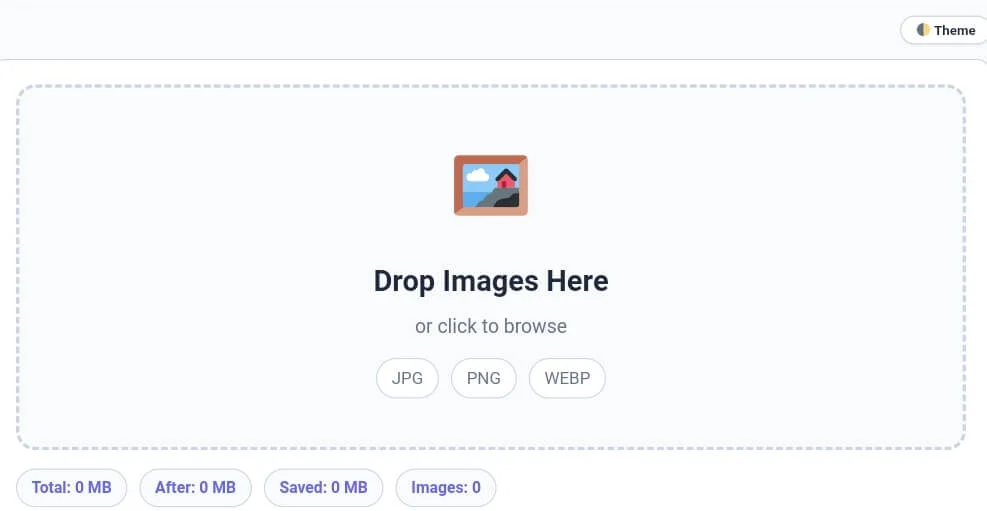
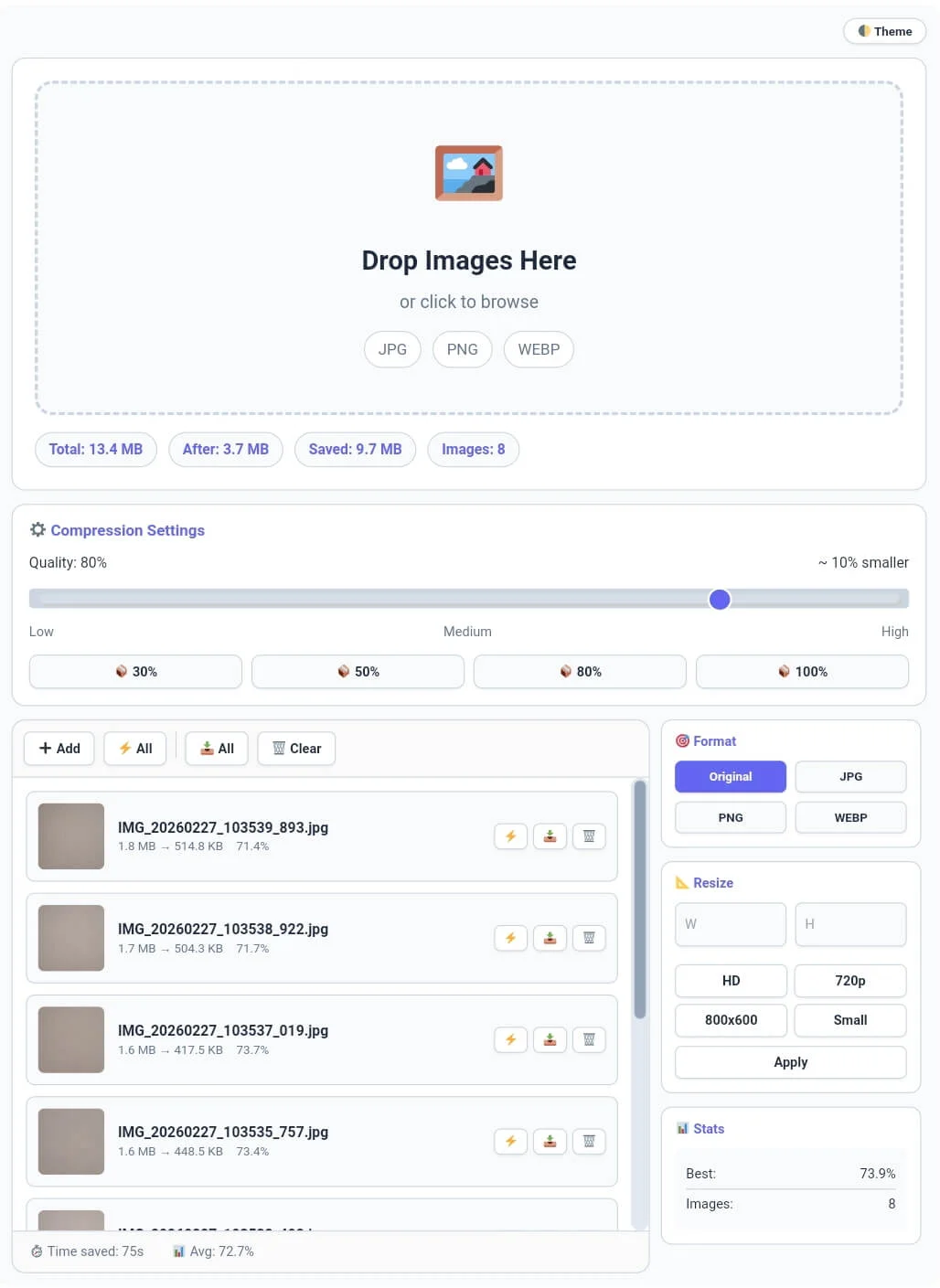
Start by dragging and dropping your files into the primary drop zone or use the “➕ Add” button in the toolbar. Our image compressor supports multiple file uploads, allowing you to process entire galleries at once. As soon as you add images, the stats bar at the top instantly displays the Total Size, Saved MB, and Images Count. Monitoring these metrics is crucial for identifying the efficiency of your image compressor batch before you begin the final export.
Tip: If you need to remove duplicate entries from your image filenames list, try our [Duplicate Remover] tool.
Step 2: Adjusting Quality and Compression Settings
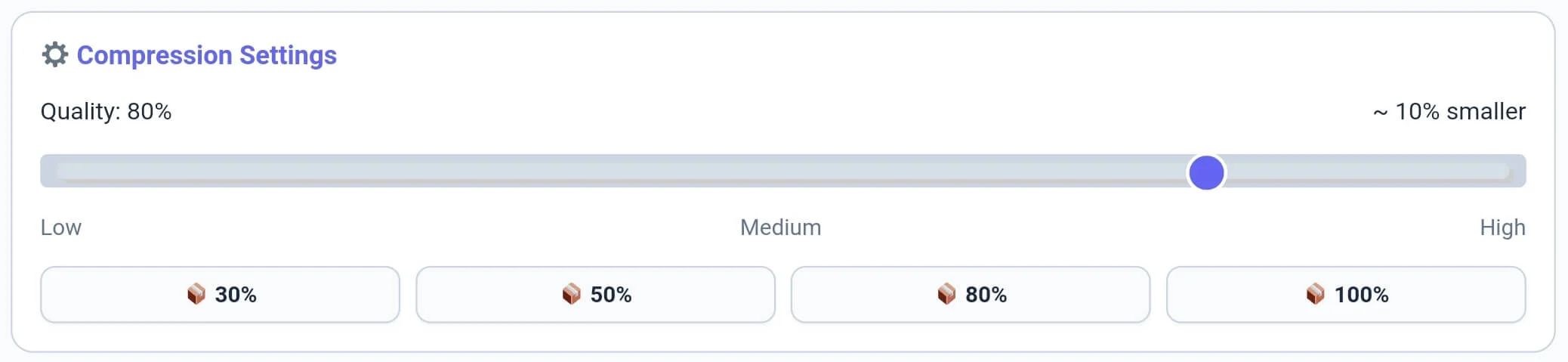
Whether you need an image compressor 20kb to 100kb for job applications or web optimization, our quality slider ensures perfect results. Once your images are loaded, use the Compression Settings module to fine-tune the output. Our image compressor features a quality slider (0-100%) and quick presets like 30%, 50%, or 80%. Reducing quality to 80% often results in massive size savings with zero visible difference. This level of control ensures your image compressor results are perfectly balanced between file size and clarity.
Tip: For detailed analysis of your image alt texts or descriptions, try our specialized [Word Counter] tool.
Step 3: Mastering Format Switching and Resizing
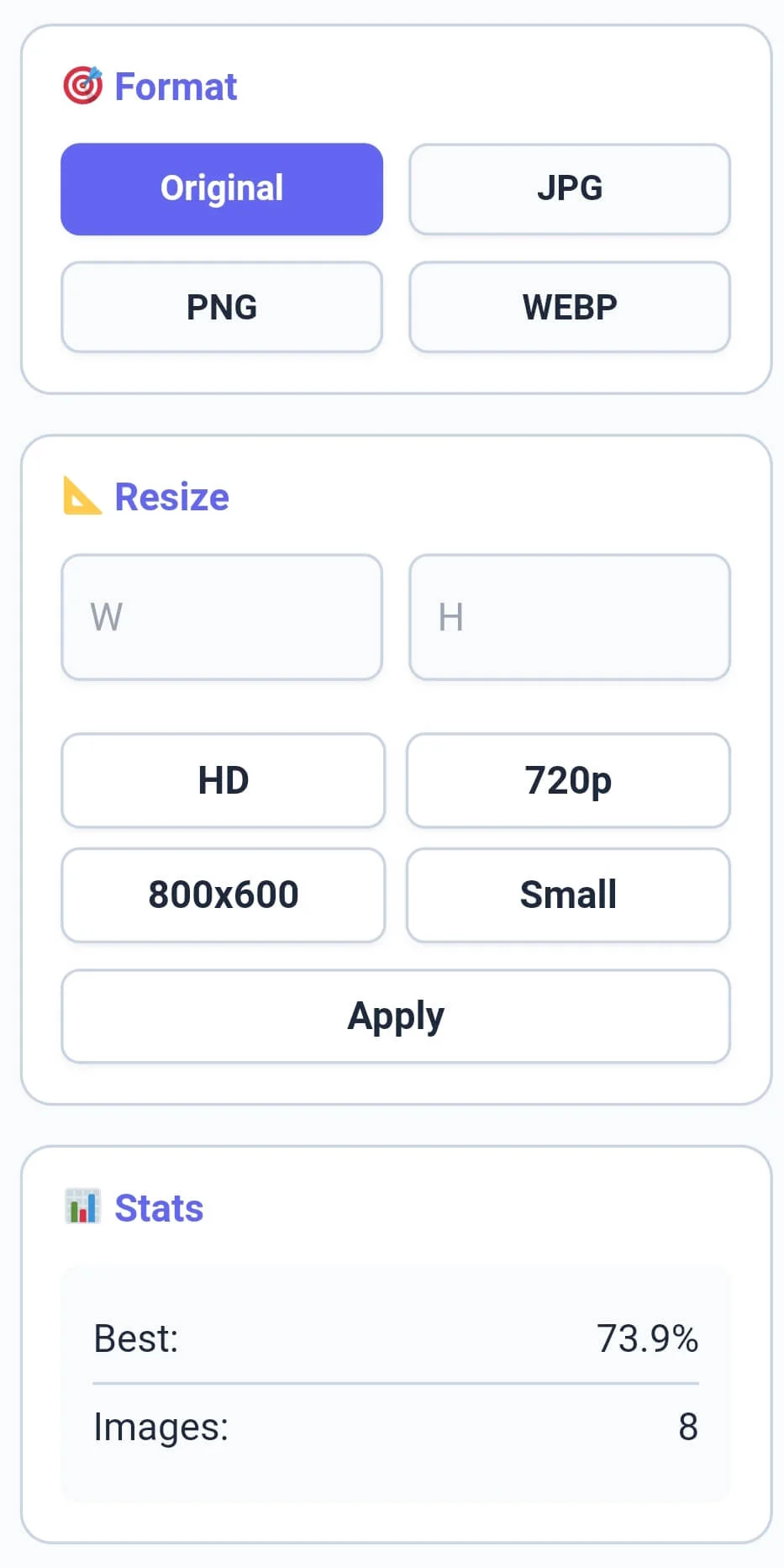
The sidebar is the heart of transformation. Use the Format module to convert your files to WEBP, JPG, or PNG instantly. If you need to change dimensions, the Resize module offers presets like HD, 720p, and 800×600. Simply select your target format or size and click “Apply”. Our image compressor ensures that your resized images maintain their aspect ratio while staying within your chosen quality boundaries.
Tip: To check the exact character count for health blog captions or alt tags, use our [Character Counter] utility.
Step 4: Batch Actions and Downloading Results
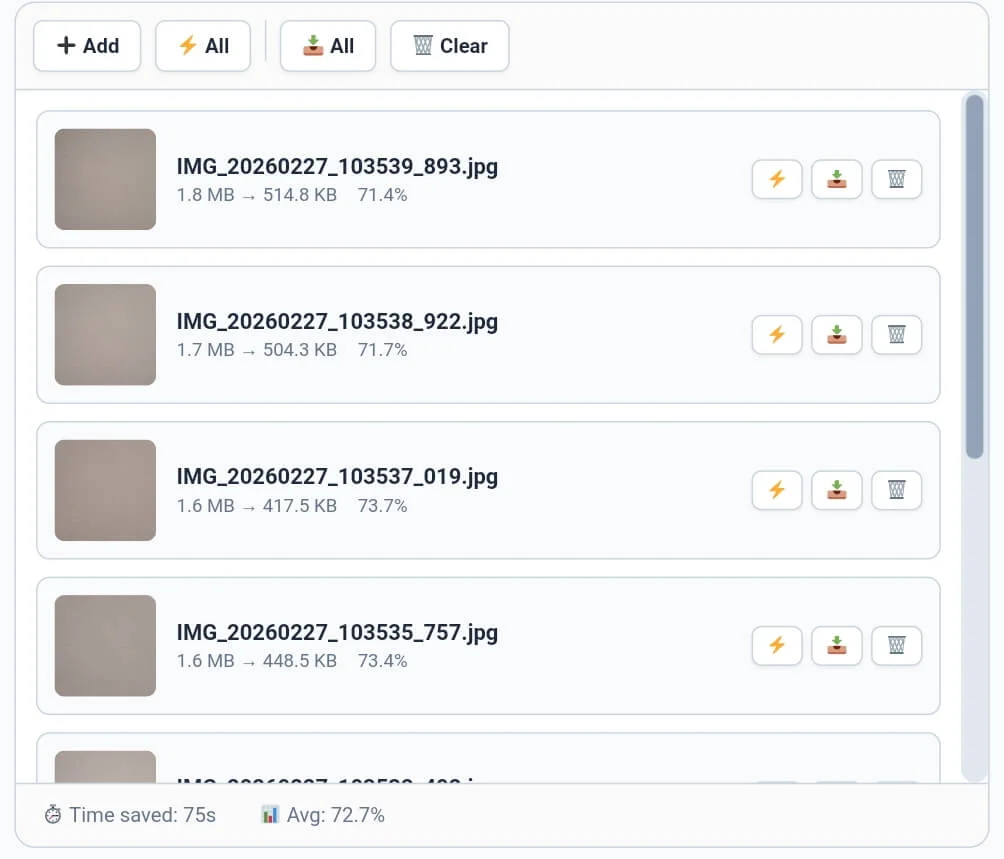
After optimization, you can manage your queue using the toolbar. You can perform a single compress on an individual item or click “⚡ All” for bulk processing. Similarly, our image compressor supports single download and all download functions, saving you hours of manual work. For desktop users, the specialized toolbar features a smooth horizontal scroll, making it easy to navigate through actions.
Tip: If you need to organize your image credits or metadata line by line, try our specialized [Line Counter] tool.
Professional Comparison: Standard Tool vs. Calcflow
Most online compressors limit your file count or use slow API calls. Our image compressor provides a full suite of professional modules for high-speed, 100% private data handling.
Offline First Processing: All compression is done via local JavaScript/Canvas logic inside your browser.
WebP Conversion Mode: One-click conversion to the modern WebP format for superior SEO performance.
Smart Resize Presets: Pre-defined dimensions for HD, social media, and small mobile displays.
Batch Action Support: Perform bulk compression and bulk downloads with zero waiting time.
Privacy Centric UI: Your images never leave your device, ensuring 100% privacy and security.
| Feature | Standard Online Tool | Calcflow Image Compressor |
| No API / Offline Logic | ❌ No | ✅ Yes |
| Batch WebP Conversion | ❌ No | ✅ Yes |
| HD Resizing Presets | ❌ No | ✅ Yes |
| Single & Bulk Compress | ❌ No | ✅ Yes |
| Horizontal Toolbar Scroll | ❌ No | ✅ Yes |
| Real-time Savings Stats | ❌ No | ✅ Yes |
| No Server Upload (Private) | ❌ No | ✅ Yes |
Tip: To structure your image documentation and alt-text paragraphs perfectly, use our [Paragraph Counter] for balance.
The Logic Behind our Bulk Image Compressor & WebP Conversion
Image compression is a technical process of removing redundant pixel data to reduce file size without losing visual clarity. Our Bulk Image Compressor uses advanced browser-side canvas rendering to ensure that the logical order of color data is preserved while stripping away unnecessary EXIF metadata. This high level of technical control is why professionals trust Calcflow for fast image optimization. To understand the mathematical and technical logic behind how image data is reduced, you can refer to the official Wikipedia guide on image compression.
Tip: To change the case of your image filenames before batch renaming, use our [Text Case Converter] for instant results.
Frequently Asked Questions (FAQs)
1. How does the Image Compressor save space?
Our image compressor uses a process called quantization to reduce the size of the image’s color palette and removes hidden metadata that contributes to large file sizes without affecting the visual quality.
2. Is my personal data secure on Calcflow?
Absolutely. Unlike other tools, our image compressor does not upload your images to any server. All processing happens 100% locally in your browser, ensuring your private photos never leave your device.
3. Why should I convert images to WebP?
WebP is a modern image format that provides superior lossless and lossy compression. Using our image compressor to switch to WebP can make your website up to 30% faster compared to using JPG or PNG.
4. Can I use this free image compressor to resize images at the same time?
Yes! You can set your desired width and height in the sidebar and then click compress. The image compressor will handle both the dimension changes and the file size reduction in one go.
5. What is the "Best Save" stat in this tool?
The Best Save metric in our image compressor tells you the maximum percentage saved from a single file in your current batch. For example, if one image was reduced by 73.9%, that becomes your “Best” result.
6. Does this tool support Dark Mode?
Yes, click the “Theme” button in the top right corner. This reduces eye strain while you manage large batches of files or galleries in our professional image compressor.
Tip: For unique artistic mirrored designs with your image captions, try our professional [Text Reverser] engine.
Conclusion: The Professional Standard for Web Optimization
The image compressor on Calcflow.net stands as the most comprehensive media manipulation tool available online. By combining real-time metrics with advanced resizing and conversion options, we have built a platform that caters to both creative and technical minds. Stop struggling with slow uploads and let our professional tool handle the heavy lifting for you. Stop struggling with slow uploads; our tool is the ultimate image compressor all kb sizes handler for modern creators. Whether you need to compress image online for a website or need an image compressor 20kb to 100kb for document uploads, Calcflow is the fastest tool for the job.