Password Generator
Protect your digital life with our Strong Password Generator. Get unhackable strings with the #1 Best password generator on Calcflow.net. Our professional engine creates secure password generator results instantly, from simple PINs to complex 64-character strings with real-time strength analysis.
Length
16
Numbers
2
Uppercase
3
Lowercase
8
Symbols
2
Entropy
128 bits
Password Length
16Character Pool
Advanced Options
📋 Password Templates
📦 Batch Generator
🔍 Check Your Password
💡 Security Tips
Use different passwords for each account
📜 Password History (Drag box to scroll)
📋 Policy Generator
📝 Memorable
Table of Contents
Toggle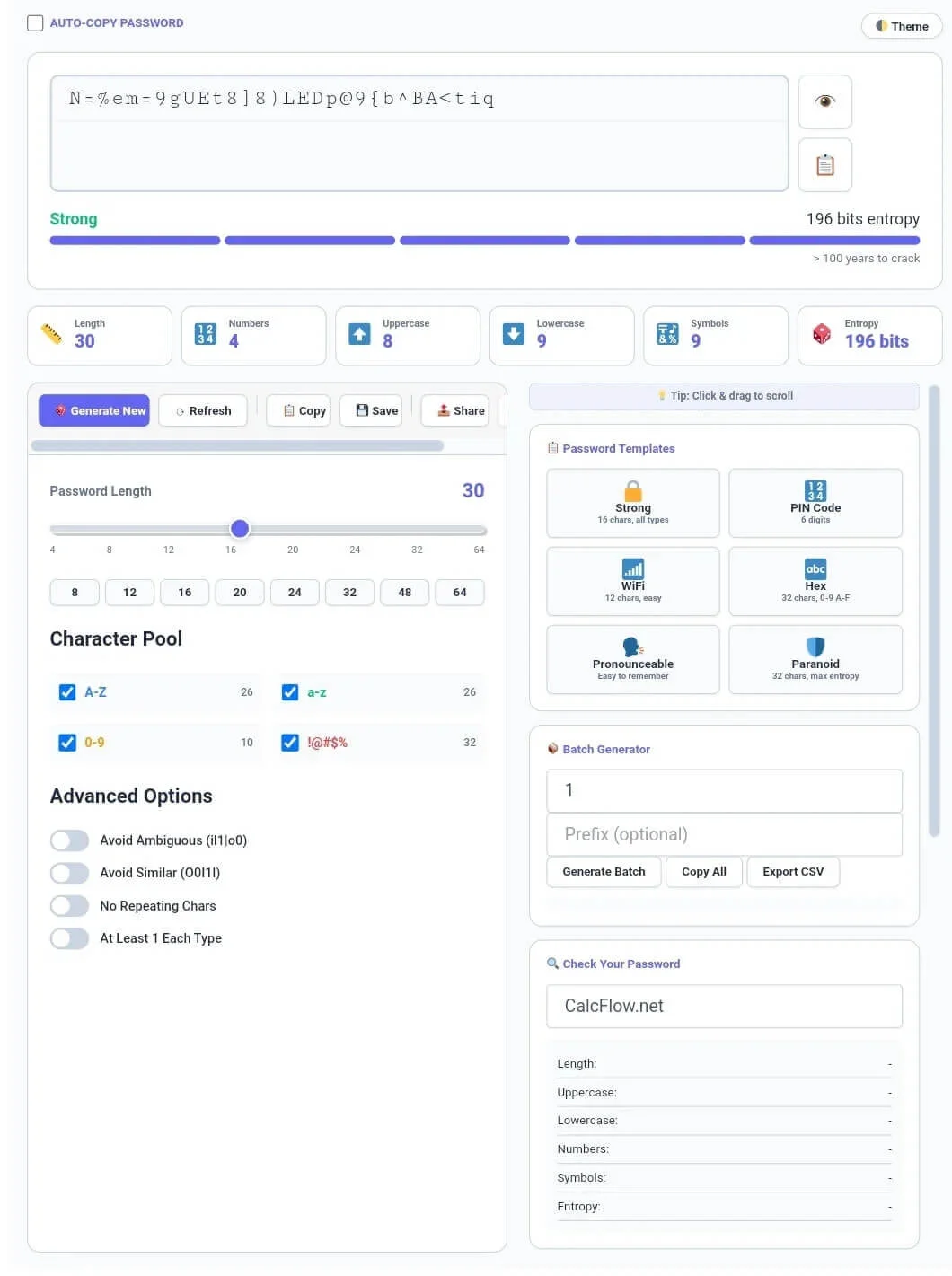
Why our Strong Password Generator is Essential for Security
Standard passwords like “123456” or “password” are the easiest targets for brute-force attacks. Our password generator is a full-scale cybersecurity utility engine built to eliminate human bias from password creation. Unlike basic tools that use simple randomization, our version calculates Entropy Bits and provides a realistic “Time to Crack” estimate. This ensures that every string you generate with our password generator is not just random, but mathematically secure against modern hacking algorithms.
At CalcFlow.net, we prioritize user control and technical depth. That is why our password generator features a specialized sidebar with a Click & Drag scroll functionality, allowing you to access multiple security modules in one sleek interface. Every generation action is tracked in a live statistics grid, monitoring length, character types, and overall complexity. This makes our tool the perfect professional bridge between a simple randomizer and a high-end security auditing suite.
Tip: If you need to manage and clean a list of existing passwords, try our professional [Duplicate Remover] tool.
How to use the Random Password Creator (Step-by-Step)
Our tool is designed for both casual users and technical professionals. To maximize your security using the password generator, follow these detailed steps:
Step 1: Configuring the Character Pool and Length
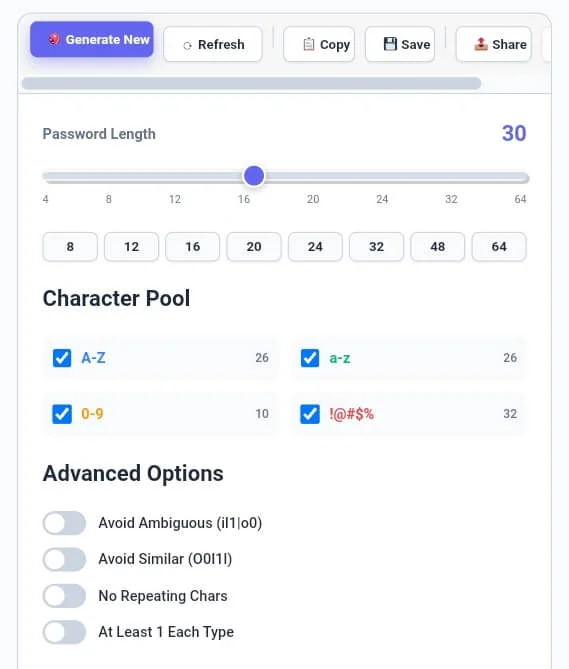
The foundation of a strong password lies in its complexity. Start by using the Password Length slider to choose between 4 and 64 characters. Our password generator provides quick presets for common needs like 16 or 32 characters. Next, select your Character Pool including Uppercase (A-Z), Lowercase (a-z), Numbers (0-9), and Symbols (!@#$%). For maximum security, we recommend enabling all four types to increase the mathematical possibilities of the string.
Tip: To ensure your generated passphrases aren’t too long for specific website limits, use our [Character Counter] utility.
Step 2: Utilizing Advanced Security Options
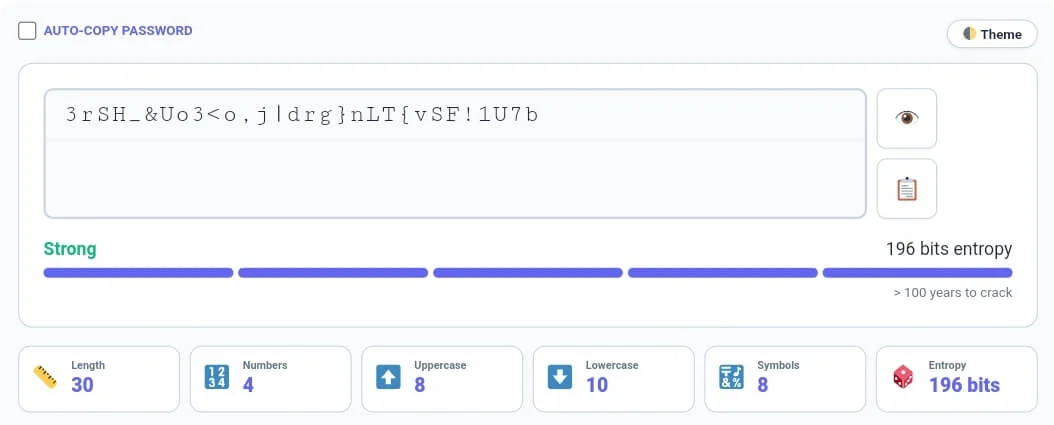
Our password generator goes beyond basic randomness with Advanced Options. You can enable “Avoid Ambiguous Chars” to remove confusing characters like i, l, 1, o, 0 which are often misread. The “No Repeating Chars” toggle ensures every character in your string is unique. Furthermore, the Password Hero section at the top provides a live Strength Indicator. Monitoring the Entropy value is crucial; anything above 80 bits is considered strong, while our tool can easily generate strings exceeding 196 bits.
Tip: If you prefer using words for your passwords, use our [Word Counter] to analyze the length of your passphrases.
Step 3: Mastering Sidebar Templates and Batch Actions
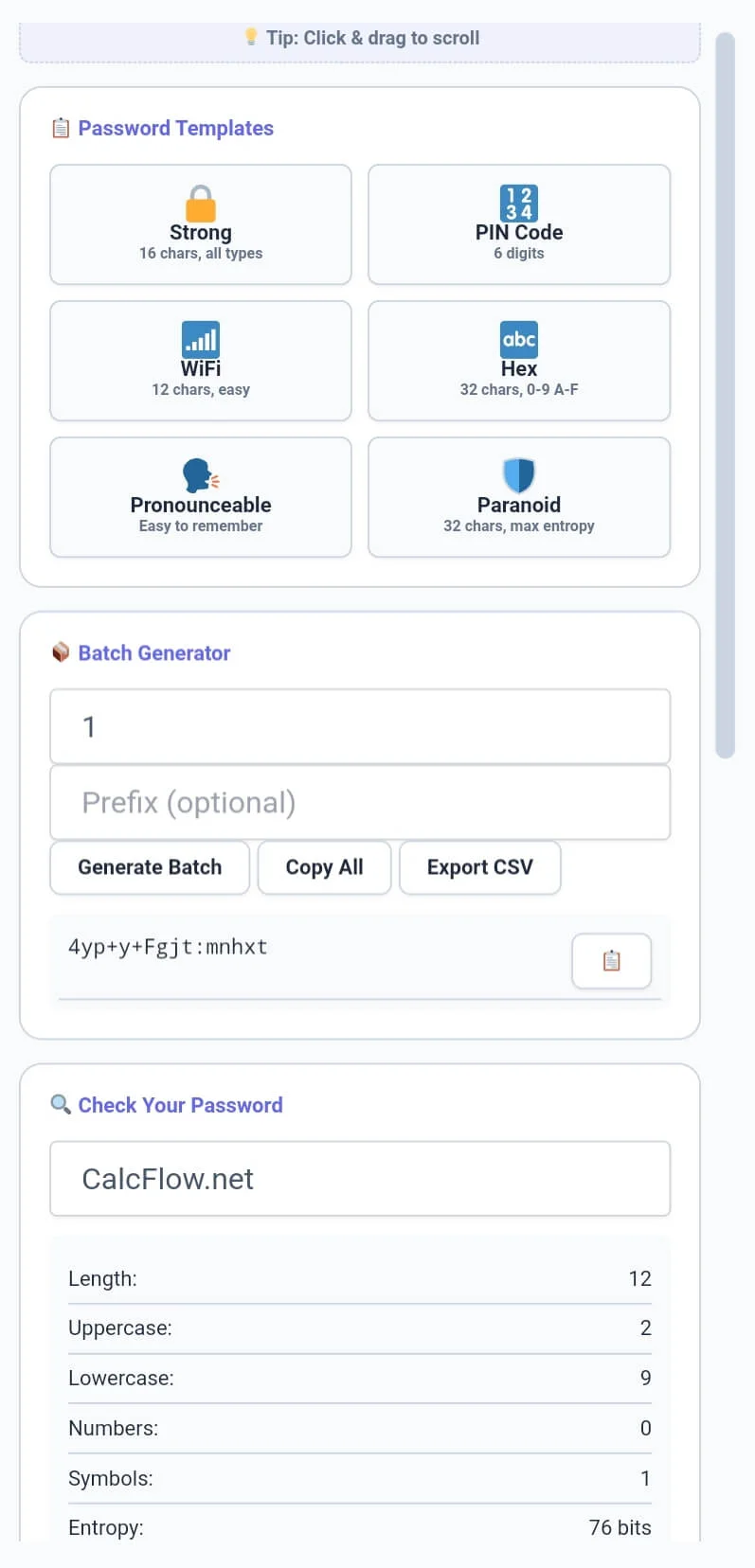
The sidebar is a powerhouse of utility. If you are in a hurry, use Password Templates like “Strong”, “WiFi”, or “Paranoid” to apply expert-level settings instantly. For system administrators, the Batch Generator allows you to create up to 50 passwords at once, which you can export as a CSV file. Navigating these modules is seamless thanks to the Scrollable Sidebar—on desktop, simply click and drag to move through the tools, while on mobile, standard touch gestures provide a fluid experience.
Tip: If you need to organize your security logs line by line, try our specialized [Line Counter] tool.
Step 4: Password Auditing and History Tracking
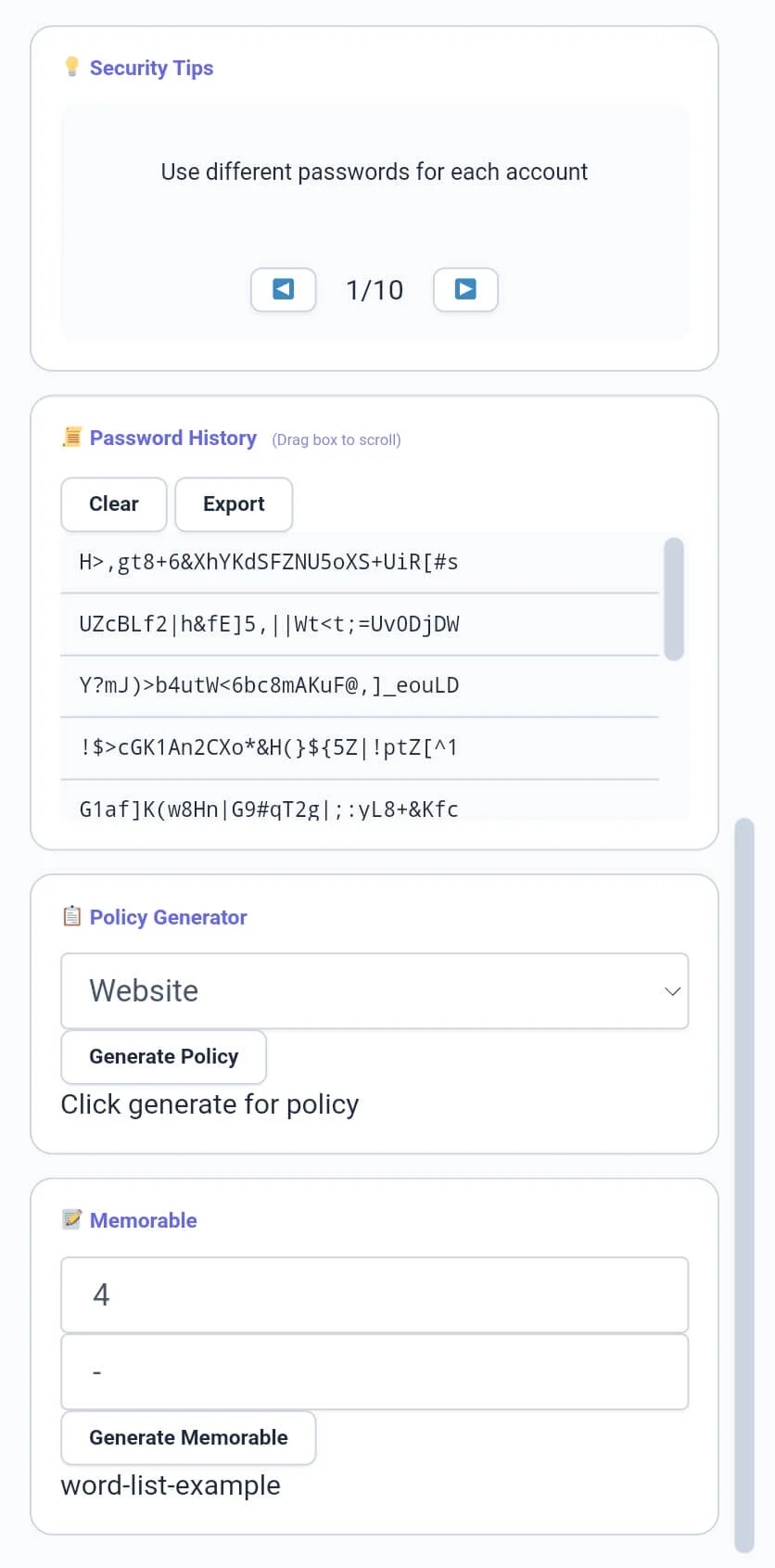
Have an existing password? Use the “Check Your Password” module to audit its strength. The tool will break down its composition and entropy instantly. To help you stay organized, our password generator maintains a Password History list (scrollable via drag) so you can retrieve recently generated strings. Finally, use the Policy Generator to see standard requirements for banking or email accounts. This level of detail ensures your password generator experience is the most complete on the web.
Tip: To structure your security documentation perfectly, use our [Paragraph Counter] for balance.
Professional Comparison: Standard Generator vs. CalcFlow
Most online generators only offer a single string with no analysis. Our password generator provides a high-precision environment for data security.
Entropy Calculation: Real-time bit-strength measurement.
Batch Processing: Generate and export bulk data.
Templates: One-click configurations for specific needs (WiFi, Hex, PIN).
Navigation: Professional Scrollable Toolbar and Sidebar with click-drag support.
Memorable Mode: Create human-readable passphrases.
| Feature | Basic Online Generator | CalcFlow Password Pro |
| Entropy Tracking (Bits) | ❌ No | ✅ Yes |
| Batch Generation (CSV) | ❌ No | ✅ Yes |
| Crack Time Estimation | ❌ No | ✅ Yes |
| Scrollable Sidebar/Toolbar | ❌ No | ✅ Yes (16px Scroll) |
| Password Templates | ❌ No | ✅ Yes |
| Memorable Passphrases | ❌ No | ✅ Yes |
| Generation History | ❌ No | ✅ Yes |
Tip: To change the case of your security questions or notes, use our [Text Case Converter] instantly.
Benefits for Developers, IT Managers, and SEO Experts
The password generator on CalcFlow is more than just a consumer tool; it is a productivity asset for professionals. For developers, generating unique Hex strings or Base64 encoded-style keys is a frequent requirement. For IT managers, the Batch Generator and Policy Generator modules simplify the creation of secure corporate environments. Even SEO experts use our password generator to create unique IDs for tracking or to secure their CMS dashboards. By using the “Avoid Similar Chars” feature, you ensure that your keys are always easy to communicate without errors.
Tip: For unique artistic layout designs or flipped text in your logs, try our professional [Text Reverser] engine.
The Technical Logic of our Secure Password Generator
Security experts measure password strength using “Entropy,” which is the measure of randomness in a string. Our password generator uses the formula L * log2(R), where L is the length and R is the size of the character pool. By providing a large pool (up to 94 unique characters), our engine ensures your password generator output reaches a complexity level that would take billions of years to crack via brute force. This level of technical control is why professionals choose CalcFlow. To learn more about modern security standards, refer to the NIST Digital Identity Guidelines.
Tip: For secure communication or encoded signals, try our specialized [Text to Morse Code] tool.
Frequently Asked Questions (FAQs)
1. How does the "Entropy" box help me?
Entropy tells you the mathematical strength of your string. In our password generator, a higher entropy (bits) means your password is more resistant to hacking attempts and brute-force software.
2. Why is the "Batch Generator" useful?
The Batch Generator in our password generator allows you to create multiple unique passwords at once. This is perfect for setting up new employee accounts or securing multiple database entries simultaneously.
3. How do I use the Click & Drag scroll?
On desktop, simply click inside the Sidebar or Toolbar and move your mouse to scroll smoothly. This professional feature makes navigating the password generator features much faster than using traditional scrollbars.
4. Is my generated password saved on your servers?
Absolutely not. Like all CalcFlow tools, the password generator processes everything locally in your browser. Your passwords never leave your computer, ensuring 100% privacy and security.
5. What is a "Memorable" password?
Instead of random characters, this module of the password generator uses a list of common words separated by dashes. These are much easier for humans to remember while still remaining secure for most accounts.
6. Does this tool support Dark Mode?
Yes, click the “Theme” button in the top right. This reduces eye strain while you manage your security policies and generation history in our password generator.
Tip: For advanced data handling, you can convert your unique keys into binary with our [Text to Binary] tool or decode them using [Binary to Text] instantly.
Conclusion: The Professional Choice for Cyber Security
The password generator on CalcFlow.net stands as the most comprehensive security manipulation tool available online. By combining real-time metrics with advanced batch processing and specialized templates, we have built a platform that caters to both personal and enterprise security needs. Stop using weak, predictable strings and let our professional tool handle your digital safety. Calcflow’s batch password generator is the most complete tool for IT managers and regular users. Bookmark this online password generator to stay safe online.