Social Media Maker
Create stunning posts with our Online Social Media Post Maker. Get the perfect dimensions with the #1 Best social media maker on Calcflow.net. Our professional Instagram post maker online offers advanced typography and social media image creator tools to craft perfect posts for every platform.
Table of Contents
Toggle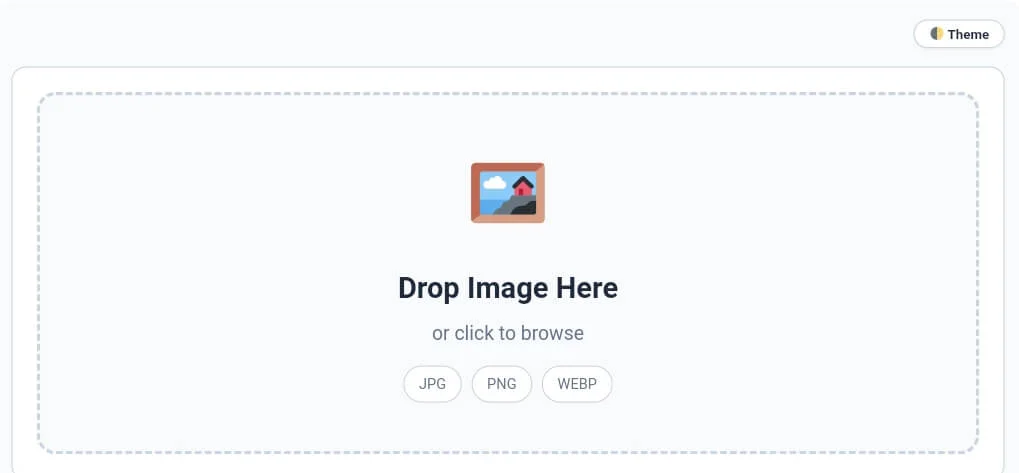
Why our Online Social Media Post Maker is Essential for Brands
In the digital age, your social media presence is your first impression. Standard images often fail to meet the strict dimension requirements of different platforms, leading to cut-off text or blurry graphics. Our social media maker is a full-scale design utility engine designed to give you total control over your visual identity. Unlike basic online editors, this social media maker works entirely in your browser using local JavaScript, providing a professional experience with high-speed rendering and 100% data privacy.
At CalcFlow.net, we prioritize technical accuracy and creative flexibility. That is why our social media maker doesn’t just resize images; it provides a comprehensive canvas for professional storytelling. Every action you take is reflected in our real-time interface, helping you track alignment and layout balance. With its modern UI and specialized sidebar modules, this tool is the perfect professional bridge between a simple photo app and an expert-level graphic design suite.
Tip: To stay fit and monitor your body metrics during long design work sessions, use our [BMI Calculator] for accurate results.
How to use the Social Media Image Creator (Step-by-Step)
Our tool is designed for maximum efficiency without a steep learning curve. To get the most out of your social media maker session, follow these detailed steps:
Step 1: Canvas Initialization and Precision D-pad Control
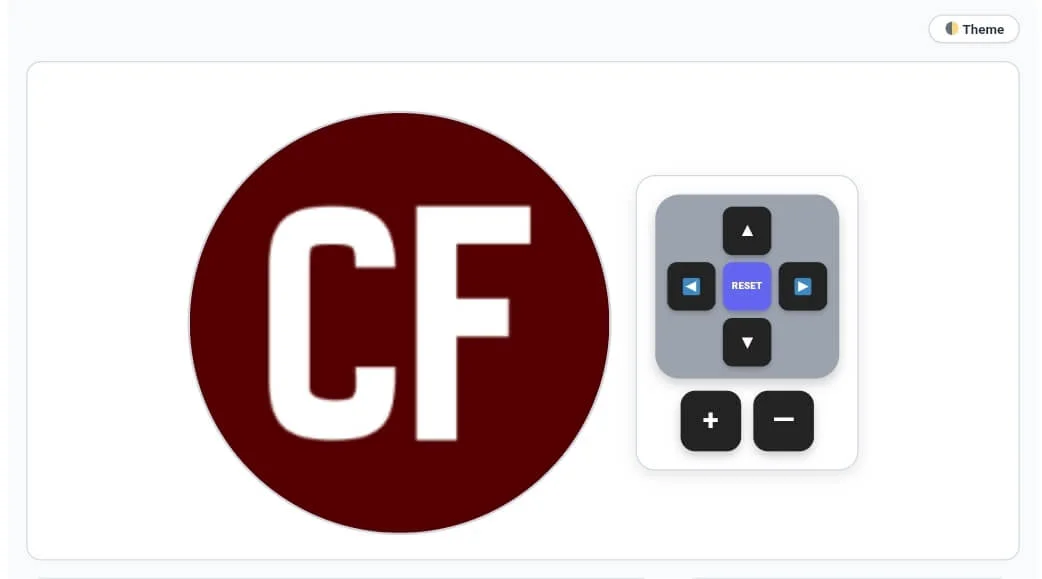
Start by dragging your image into the drop zone. Our social media maker features a specialized D-pad movement system that allows you to position your elements with pixel-perfect accuracy. Use the up, down, left, and right arrows to move your logo or image layers, and use the + and — buttons to scale your visuals. Monitoring these initial adjustments is crucial for identifying the primary composition of your social media maker project before adding final touches.
Tip: If you need to remove duplicate filename entries from your design records, try our [Duplicate Remover] tool.
Tip: To ensure your design file sizes are perfectly optimized for fast loading, use our [Image Compressor] utility.
Step 2: Configuring Custom Sizes and Backgrounds
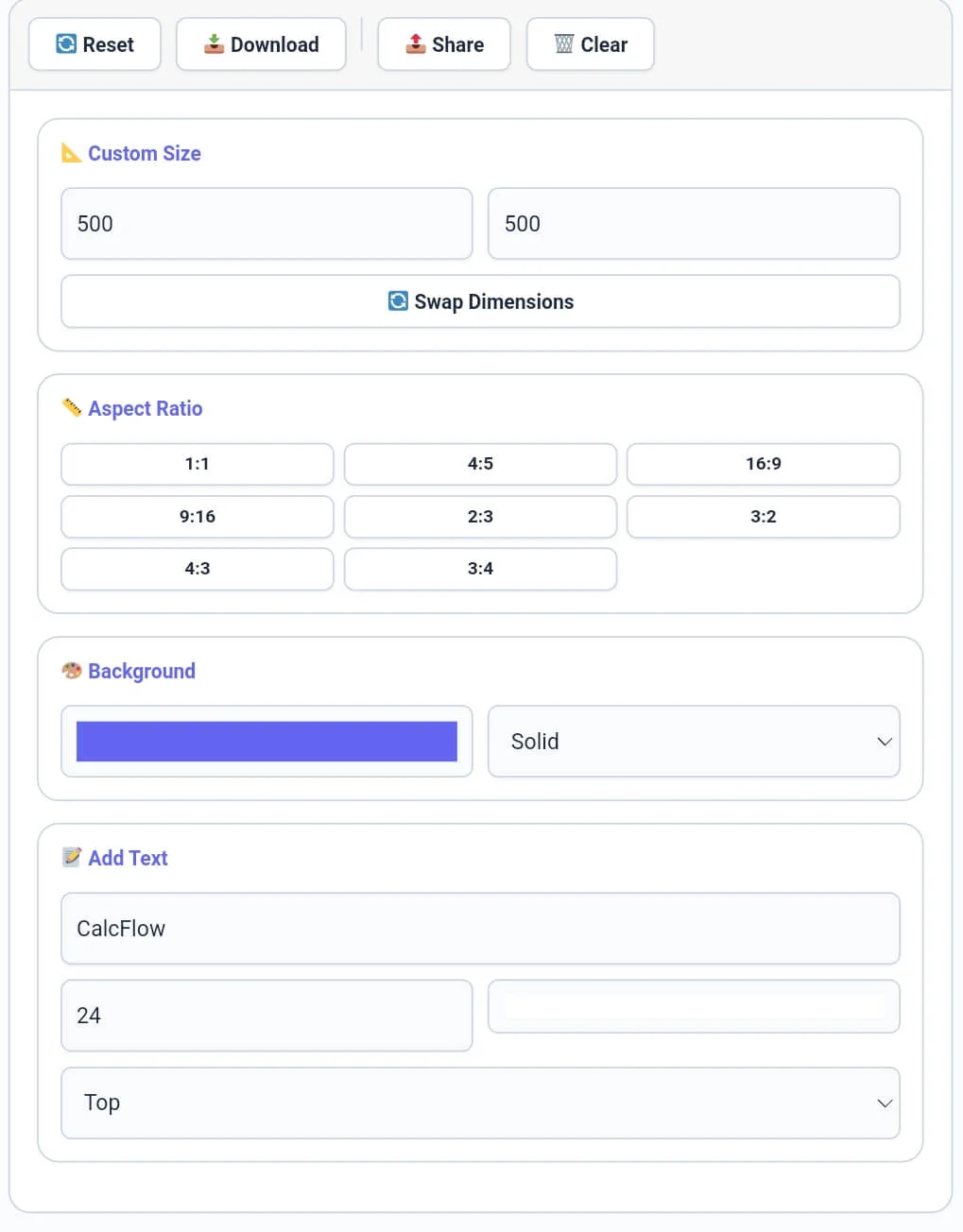
The sidebar is where you define the technical parameters of your post. Use the Custom Size module to enter specific width and height values, or use the Aspect Ratio presets (like 1:1, 16:9, or 9:16) for quick formatting. Our social media maker allows you to choose between Solid or Transparent backgrounds to suit your brand needs. You can also swap dimensions instantly with a single click, making this social media maker a powerful tool for adaptive layout design.
Tip: For detailed word-level analysis of your marketing copies or design scripts, try our specialized [Word Counter] tool.
Tip: To change the extension of your exported designs, use our [Format Converter] tool instantly.
Step 3: Utilizing the Smart Platform Selector Library
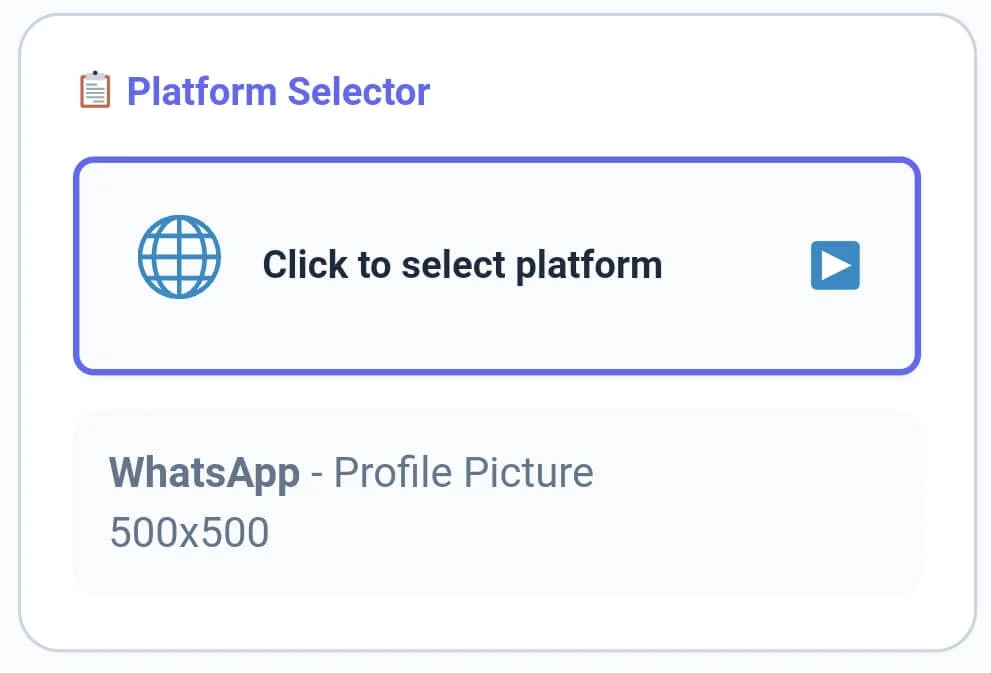
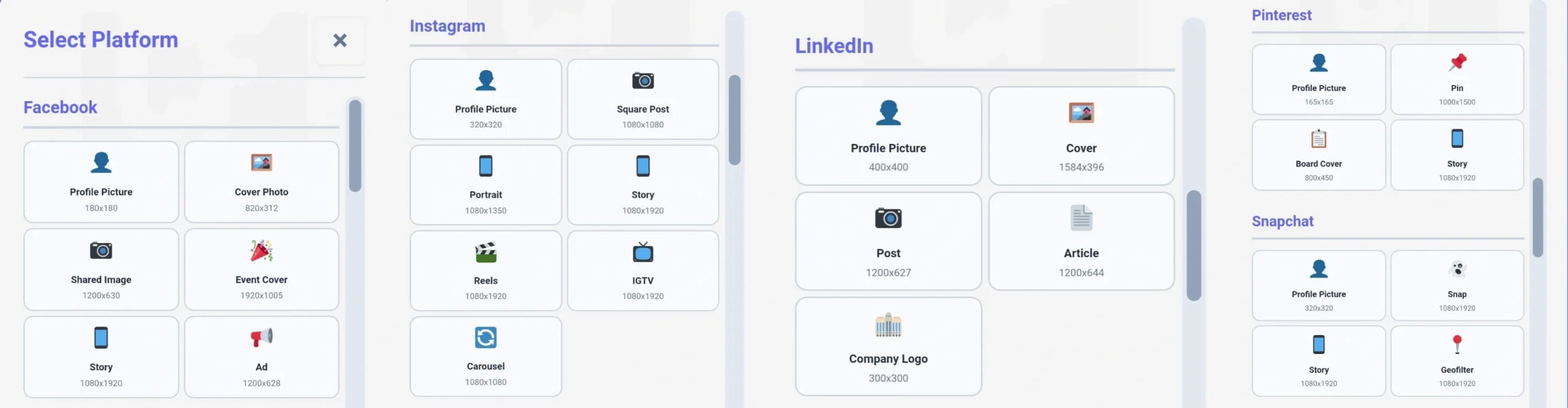
Navigating different social networks requires specific dimensions. Our social media maker includes a Platform Selector module in the sidebar that opens a massive library of over 50 optimized presets. From Facebook Covers and Instagram Reels to YouTube Banners and TikTok Ads, every preset is calibrated for 100% accuracy. By selecting a preset from the sidebar, the social media maker instantly updates your canvas, saving you from manual research on dimension requirements.
Tip: To check the exact character count for your image alt tags or SEO titles, use our [Character Counter] utility.
Tip: If you need to organize your hashtag lists or project logs line by line, try our specialized [Line Counter] tool.
Step 4: Mastering Post Categories and Dimensions
The final phase involves adding your message and selecting specific network cards from the library. Within the social media maker presets library, you will find dedicated sections for Facebook, Instagram, LinkedIn, Pinterest, and Snapchat. Each card provides the exact pixels needed for profile pictures, stories, and shared images. Our social media maker ensures that your typography is perfectly aligned within these boundaries, providing a professional look that guarantees high engagement.
Tip: To structure your social media documentation or captions perfectly, use our [Paragraph Counter] for balance.
Tip: To rotate your uploaded images before adding them to the canvas, use our specialized [Image Rotate] tool.
Step 5: Advanced Presets and Final Design Export
For advanced users, the social media maker offers specialized sizes for TikTok ads, Twitter headers, WhatsApp status updates, and YouTube shorts. Once your design is complete, use the toolbar to finalize your work. You can click “📥 Download” to save your high-resolution design directly to your device. Our social media maker ensures that every export is watermark-free, high-quality, and ready for instant social sharing across all major digital platforms.

Tip: To change the case of your design text for better impact, use our [Text Case Converter] for instant results.
Tip: To secure your social media account logins, use our [Password Generator] to create unhackable keys.
Professional Comparison: Standard Apps vs. CalcFlow
Most free apps add forced watermarks or require premium accounts for HD exports. Our social media maker provides a full suite of professional modules for high-resolution, watermark-free output.
- Surgical D-pad Control: Position and zoom into elements with pixel-level precision.
Zero Watermarks: Enjoy 100% clean designs with no forced branding on your files.
Platform Library: Access a huge database of accurate sizes for all major social networks.
Privacy Centric: All rendering happens locally; your private photos are never uploaded.
16px Desktop Navigation: Professional scrollbars for smooth browsing through large libraries.
| Feature | Standard Mobile App | CalcFlow Social Maker |
| Watermark-Free Export | ❌ No | ✅ Yes |
| Surgical D-pad Control | ❌ No | ✅ Yes |
| Multi-Platform Presets | ❌ No | ✅ Yes |
| No Server Upload (Private) | ❌ No | ✅ Yes |
| Real-time Rendering | ❌ No | ✅ Yes |
| Aspect Ratio Locking | ❌ No | ✅ Yes |
| 16px Desktop Scrollbars | ❌ No | ✅ Yes |
Benefits for Influencers, Marketers, and Developers
The social media maker on CalcFlow is more than a simple editor; it is a productivity asset for the digital era. Influencers can create consistent aesthetic themes for their grids without expensive software. Small business owners can design professional ads, announcements, and banners in seconds. Developers find the social media maker useful for generating OG-images and banners for their web projects. By utilizing the specialized sidebar modules, you can sanitize and organize your visual brand data in seconds. A reliable social media maker is a secret weapon in any digital professional’s toolkit.
Tip: For unique artistic layout designs or flipped text in your designs, try our professional [Text Reverser] engine.
Tip: For secure communication or hidden messages in your graphics, try our [Text to Morse Code] tool.
The Technical Logic of our Free Graphic Design Tool Online
Graphic creation is a logical system based on the layering of visual data onto a canvas. Our social media maker engine uses the modern HTML5 Canvas API to ensure that the logical order of layers (z-index) is preserved while rendering high-quality output. This technical level of control is why professionals choose CalcFlow for their media needs. To stay updated on the ever-changing dimension requirements for every platform, you can refer to the official HubSpot guide on social media image dimensions.
Tip: For technical data handling, you can convert your design tags into binary with our [Text to Binary] tool or decode them using [Binary to Text] instantly.
Frequently Asked Questions (FAQs)
1. How do I change post sizes in the Social Media Maker?
You can either enter specific dimensions in the “Custom Size” sidebar module or click the “Platform Selector” to choose from over 50 pre-defined sizes for Instagram, Facebook, and more within the social media maker.
2. Is my private image data secure on CalcFlow?
Absolutely. All processing in our social media maker happens locally in your browser via JavaScript. We never store or upload your private photos to our servers, ensuring 100% privacy.
3. What is the benefit of the D-pad controls?
The D-pad allows you to move and scale elements with a level of precision that touchscreens cannot match. This is perfect for aligning logos or text boxes in the social media maker canvas.
4. Can I add custom backgrounds to my designs?
Yes! Use the “Background” module in the sidebar of the social media maker to choose between solid colors or transparent backgrounds depending on your design needs.
5. What file formats are supported for export?
Our social media maker allows you to download your final work in high-quality PNG, JPG, or the modern WebP format for superior SEO and page speed performance.
6. Does this tool support Dark Mode?
Yes, click the “Theme” button in the top right corner. This reduces eye strain while you manage multiple design projects or technical assets in our professional social media maker.
Conclusion: The Professional Choice for Visual Design
The social media maker on CalcFlow.net stands as the most comprehensive design manipulation tool available online. By combining real-time metrics with advanced resizing and positioning options, we have built a platform that caters to both creative and technical minds. Stop struggling with slow cloud editors and let our professional tool handle the heavy lifting for you.
Select Platform
Drop Image Here
or click to browse
📐 Custom Size
📏 Aspect Ratio
🎨 Background
📝 Add Text
📋 Platform Selector