WEBP TO PNG
Clean and organize your high-resolution visual assets with the #1 Best webp to png tool on CalcFlow.net. Our professional engine provides lossless conversion, transparency support, and surgical privacy cleaning to help you craft perfect PNG files with 100% precision. This secure webp to png utility ensures your designs are compatible with all professional software instantly.
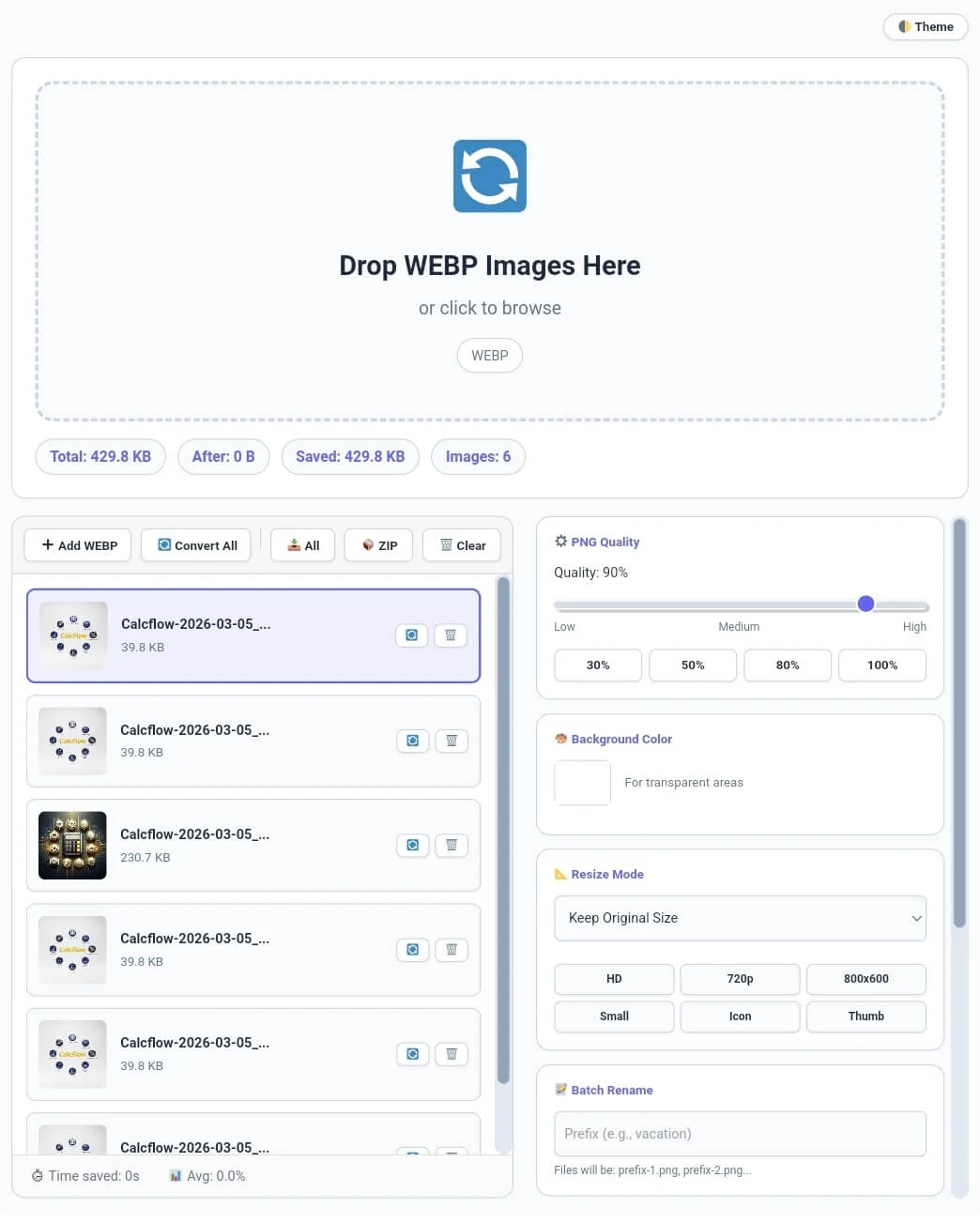
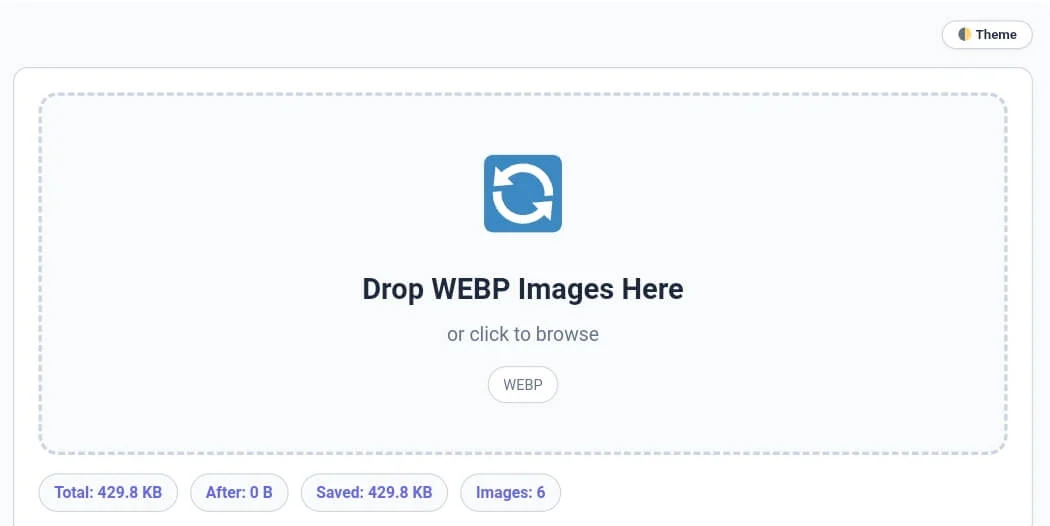
Drop WEBP Images Here
or click to browse
No images added yet
Drop WEBP images or click Add⚙️ JPG Quality
🎨 Background Color
📐 Resize Mode
📝 Batch Rename
Files will be: prefix-1.jpg, prefix-2.jpg...🔒 Privacy Mode
Removes location, camera details⚡ Apply To
📊 Stats
Table of Contents
ToggleWhy the WEBP to PNG Converter on CalcFlow.net is Essential
In the modern digital landscape, the need for high-quality, transparent imagery is constant. While WebP offers small file sizes, PNG remains the industry standard for lossless conversion and full alpha-channel transparency. Designers often need to convert webp to png with transparency to ensure their logos and icons look flawless on any background. Our webp to png utility is a full-scale media utility engine designed to handle complex layers that standard tools often flatten. Unlike basic converters, this version provides a professional experience with high-speed local processing and 100% data security for your creative work.
At CalcFlow.net, we prioritize data transparency and technical depth. That is why our webp to png tool doesn’t just rename files; it provides a comprehensive audit of your image data. Every action—from batch renaming to stripping sensitive EXIF metadata—is reflected in our real-time interface. With its sleek UI and specialized sidebar modules, this tool is the perfect professional bridge between a simple file flipper and a professional digital asset manager.
Tip: To monitor your body metrics while working on professional design projects, use our high-precision [BMI Calculator].
A Comprehensive Guide to using the Webp to PNG Tool
Our tool is designed for maximum productivity with zero server-side waiting time. To master your bulk webp to png converter session and optimize your workflow, follow these detailed steps:
Step 1: Secure Bulk Upload and Real-Time Analysis
Start by dragging your WebP files into the dedicated drop zone or using the “➕ Add WEBP” button in the toolbar. Our webp to png converter supports high-resolution batch uploads, allowing you to process large folders simultaneously. As soon as you add images, the stats bar at the top instantly displays the Total Size, Saved MB, and Images Count. Monitoring these initial metrics is crucial for identifying the primary structure of your assets before you begin the lossless webp to png process.
Tip: If you need to remove duplicate filename entries from your design records, try our professional [Duplicate Remover] tool.
Tip: To ensure your filtered design file sizes are perfectly optimized for fast loading, use our [Image Compressor] utility.
Step 2: Customizing Transparency and Quality Settings
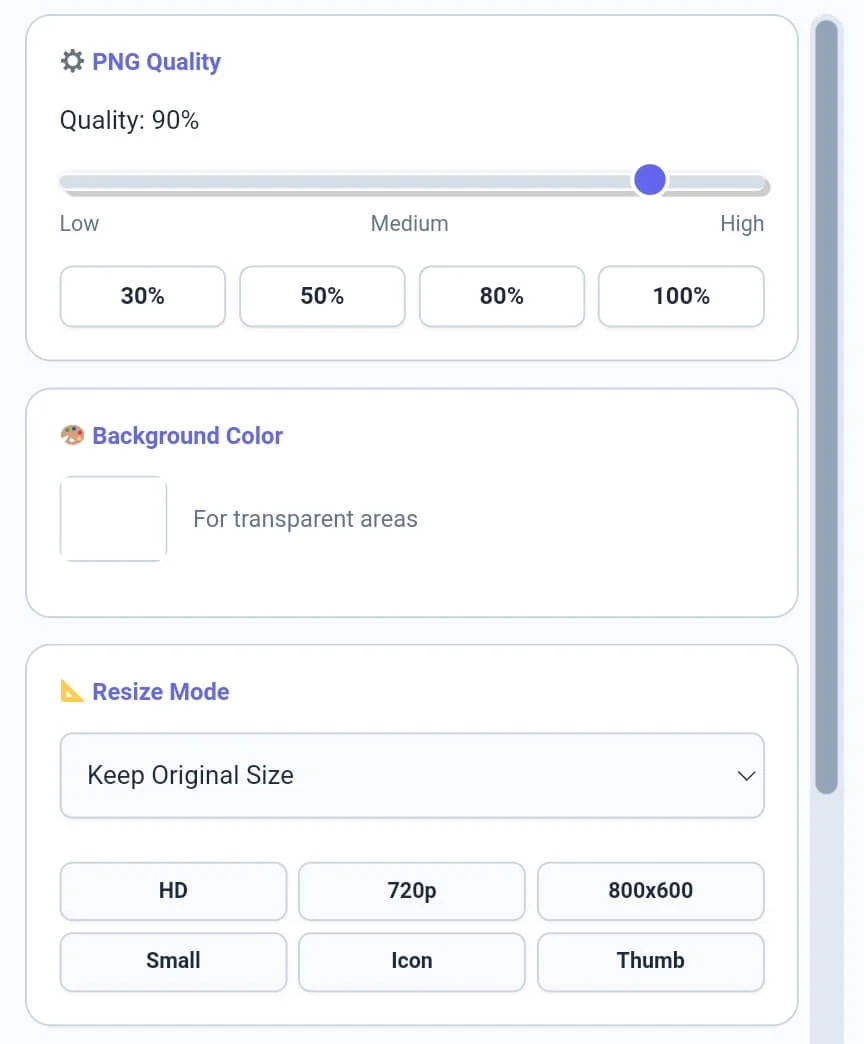
The most important feature when you convert webp to png with transparency is how the background is handled. Our sidebar includes a “🎨 Background Color” module to let you choose a solid fill for images that may have semi-transparent areas. You can also use the Quality Slider to ensure your webp to png output maintains the highest possible clarity. This level of technical control ensures that your images are ready for professional use in web development or print media instantly.
Tip: For detailed word-level analysis of your image captions or design scripts, try our specialized [Word Counter] tool.
Tip: To change the extension of your files to other formats like JPG, use our specialized [Webp to JPG] tool instantly.
Step 3: Privacy Mode and Professional Batch Renaming
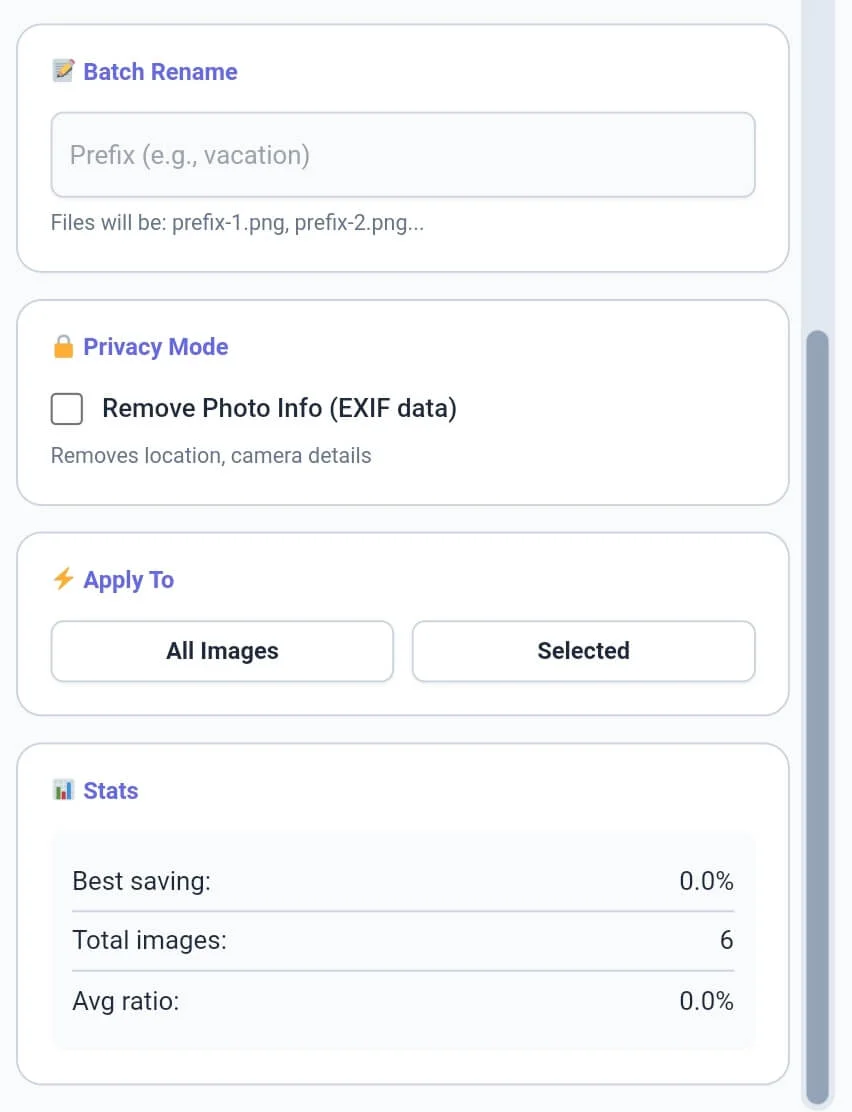
Before you finalize the export, utilize our Privacy Mode. By checking the “Remove Photo Info (EXIF)” box, you can strip away camera details, GPS location, and timestamps from your files. This makes us the most private webp to png converter on the web. Additionally, use the Batch Rename module to add a custom prefix to all your files. This technical depth makes managing large image libraries much more professional and organized than using basic mobile apps.
Tip: To check the exact character count for your image alt tags or SEO meta, use our [Character Counter] utility.
Tip: If you need to organize your asset credits or image logs line by line, try our specialized [Line Counter] tool.
4: Batch Transformation and Gallery Management
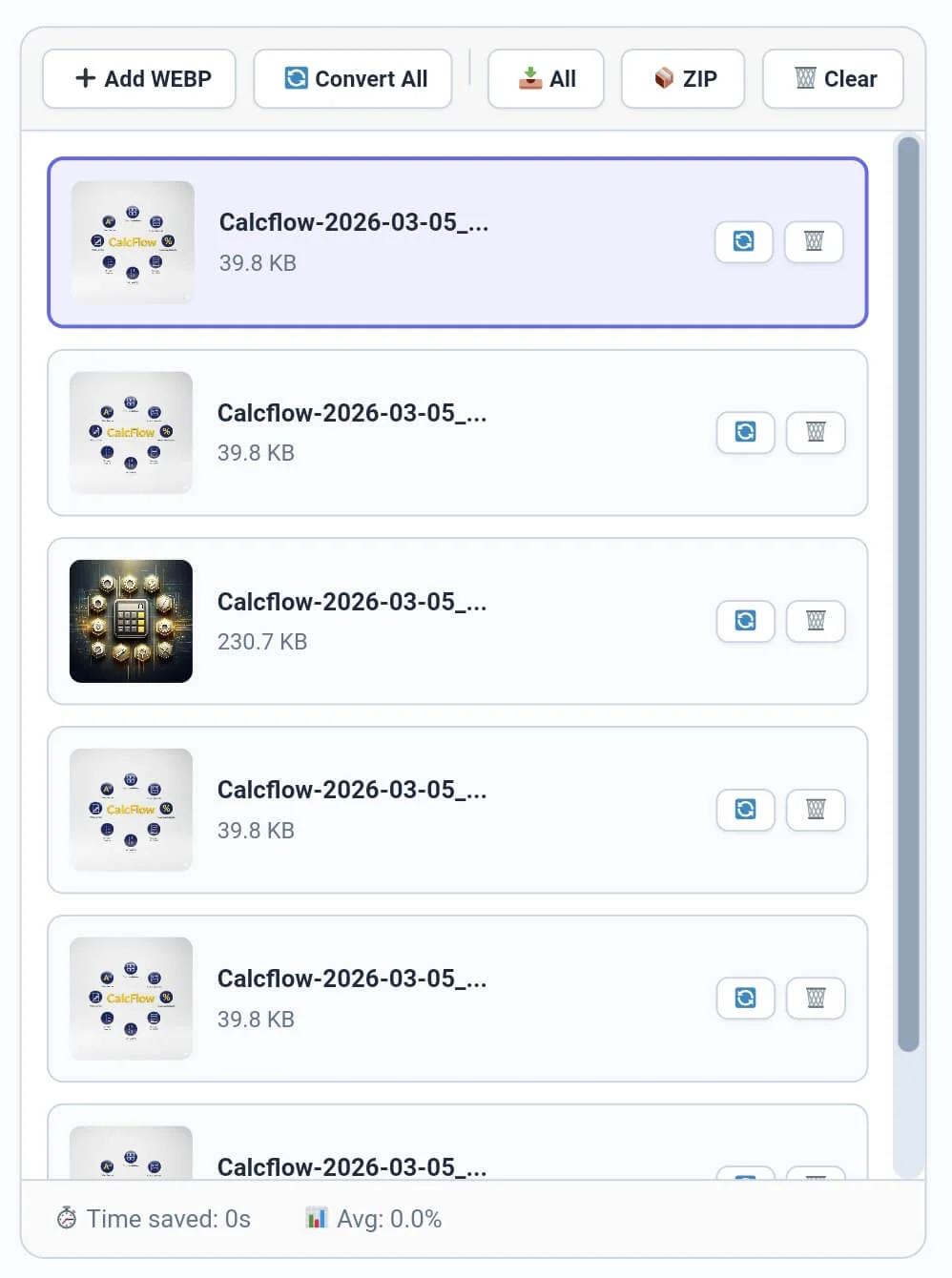
The final phase involves using the toolbar and the bottom gallery to finalize your work. You can convert individual items by clicking the refresh icon on a thumbnail or click “🔄 Convert All” for the whole batch. Our webp to png engine allows you to download files one by one or save the entire batch as a single 📦 ZIP archive. The bottom gallery strip allows you to visually inspect each image in your queue, ensuring your bulk webp to png converter workflow is fast and 100% accurate.
Tip: To structure your design documentation paragraphs perfectly, use our [Paragraph Counter] for balance.
Tip: To change the case of your image filenames for a cleaner look, use our [Text Case Converter] for instant results.
Professional Comparison: Standard Tool vs. Calcflow
Most online converters lose transparency data or use slow, privacy-invasive server uploads. Our webp to png suite provides a full set of professional modules for high-speed, 100% private data handling.
Alpha Channel Support: Preserve 100% transparency during every conversion.
Privacy Guard Logic: Automated EXIF data removal for secure public sharing.
Batch Rename Engine: Organize large image libraries with custom prefixes instantly.
ZIP Download Support: Export entire galleries in one single compressed archive.
Real-time Statistics: Instant visibility of original sizes and average ratios.
| Feature | Standard Online Tool | Calcflow WEBP to PNG |
| Transparency Support | ❌ No | ✅ Yes |
| EXIF Data Removal | ❌ No | ✅ Yes |
| Batch Filename Renaming | ❌ No | ✅ Yes |
| ZIP Archive Export | ❌ No | ✅ Yes |
| Real-time Savings Bar | ❌ No | ✅ Yes |
| No Server Upload (Private) | ❌ No | ✅ Yes |
| 16px Pro Scrollbars | ❌ No | ✅ Yes |
Tip: To secure your private design folders and account logins, use our [Password Generator] to create unhackable keys.
Benefits for Designers, Developers, and SEO Experts
The webp to png utility on CalcFlow is more than a simple converter; it is a productivity asset for the digital professional:
The webp to png utility on CalcFlow is more than a simple converter; it is a productivity asset for the digital professional:
Graphic Designers: Convert WebP assets into PNG format to maintain 100% transparency in design tools like Figma or Canva.
Web Developers: Quickly resize and sanitize large batches of icons or screenshots for professional technical documentation.
SEO Specialists: Balance your image format strategy by keeping only what’s necessary for site speed while using PNG for high-clarity assets.
Marketers: Use the bulk webp to png converter to prepare high-quality assets for social platforms that don’t support modern formats.
Tip: For unique artistic layout designs or flipped text in your designs, try our professional [Text Reverser] engine.
Tip: To rotate your uploaded images before adding them to the conversion queue, use our specialized [Image Rotate] tool.
The Technical Logic of Lossless PNG Encoding
The technical execution of lossless webp to png conversion involves re-mapping pixel data from a compressed bitstream into a standard bit depth matrix. Our webp to png engine utilizes the modern HTML5 Canvas API to ensure that the logical order of color data and alpha channels is preserved while removing unnecessary metadata chunks. This surgical level of technical control is why professionals choose CalcFlow for their media needs. To learn more about how different image formats handle transparency and pixel arrays, you can refer to the official W3C guide on PNG specifications.
Tip: To branding your visual designs with professional text, try our [Social Media Maker] tool instantly.
Tip: To manage your kitchen workflow while working on design projects, use our professional [Cooking Timer].
Frequently Asked Questions (FAQs)
1. How do I convert Webp to PNG without losing transparency?
Our webp to png converter automatically detects the alpha channel in your WebP files. By using the PNG output mode, the tool preserves all transparent areas without requiring any manual adjustmen
2. Is my private image data secure on Calcflow?
Absolutely. All processing in our webp to png converter happens locally in your browser via JavaScript. Your images are never uploaded to our servers, ensuring 100% privacy and security.
3. Why should I use the Batch Rename feature?
The batch rename module in our webp to png tool allows you to organize large image sets instantly. It adds a custom prefix and numbering to your files, making them easier to manage on your device.
4. Can I resize images while converting to PNG?
Yes! You can choose between “Fixed Dimensions” or “Scale by Percentage” in the Resize module of the webp to png sidebar to update your image size during the conversion process.
5. What does the "Best saving" stat mean?
In this webp to png tool, the “Best saving” stat tracks the maximum amount of digital weight removed from a single file in your current batch, highlighting the tool’s efficiency.
6. Does this tool support Dark Mode?
Yes, click the “Theme” button in the top right corner. This reduces eye strain while you manage large batches of photos or technical assets in our professional webp to png suite.
Tip: For technical data handling or secure codes in your logs, try our specialized [Text to Binary] or [Binary to Text] tools.
Tip: For secure communication or distress signals in your metadata, try our specialized [Text to Morse Code] tool.
Conclusion: The Professional Choice for PNG Transformation
The webp to png suite on CalcFlow.net stands as the most comprehensive media manipulation tool available online. By combining real-time metrics with advanced transparency handling and privacy features, we have built a platform that caters to both creative and technical minds. Stop struggling with slow cloud converters and let our professional tool handle the heavy lifting for you.